

























GemeOpen 远程音频音乐智能音箱-WiFi版 (型号:GSSM0B) - 开发者指令


# 远程音频音乐智能音箱-WiFi版 (型号:GSSM0B) - 开发者指令
## 产品基本描述
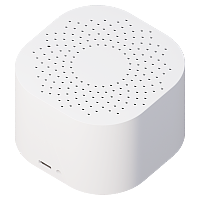
一款支持远程控制的迷你音箱,内置扬声器最大输出功率12W,可存储歌曲500首高品质MP3,最多支持4个音箱组网,定义前置左右声道、环绕左右声道,
Wifi网络连接,MQTT通信协议,支持远程指令下载音频文件以及播放指定的音频。
Wifi网络连接,MQTT通信协议,支持远程指令下载音频文件以及播放指定的音频。
## 产品主要特点
WiFi网络,支持本地云端音频播放,USB-C口5V2A供电
支持MQTT/TCP/HTTP协议,自带原生MCP Server 接受Agent控制
TTS语音转文字,48种拟人音色,20段EQ调节,到点语音插播
支持MQTT/TCP/HTTP协议,自带原生MCP Server 接受Agent控制
TTS语音转文字,48种拟人音色,20段EQ调节,到点语音插播
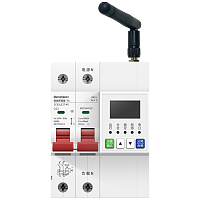
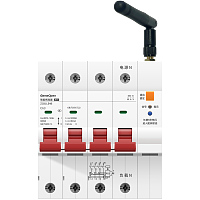
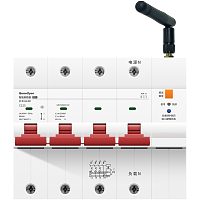
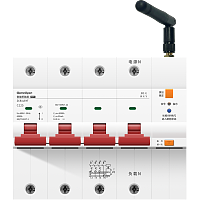
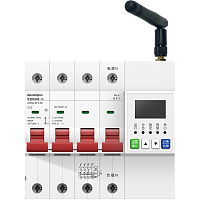
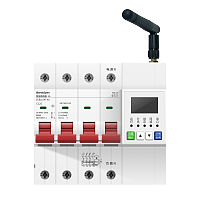
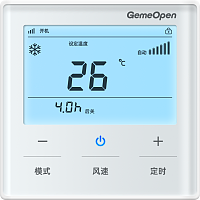
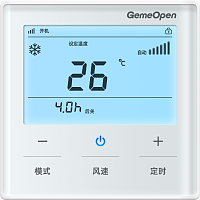
## 产品图
<https://smart-bird-oss.smart-bird.cn/images/2026/01/05/1050244331215511.png>
<https://smart-bird-oss.smart-bird.cn/images/2026/01/05/1103092024134506.png>
<https://smart-bird-oss.smart-bird.cn/images/2026/09/18/1557505433849340.png>
<https://smart-bird-oss.smart-bird.cn/images/2026/01/05/1108594709433355.png>
<https://smart-bird-oss.smart-bird.cn/images/2026/01/05/1109037800317543.png>
## 官网产品资料
### 品牌信息说明
品牌LOGO <https://smart-bird-oss.smart-bird.cn/images/2026/02/18/1722133698642421.png>
智鸟科技GemeOpen专注为软件开发者提供商用智能设备,软件工程师通过简单的测试即可完成项目设备选型,使用标准的MQTT/TCP协议,发送JSON指令控制设备通断电、查询设备用电信息。能够极大节省项目实施时间与自研设备风险,与厂商云解耦,搭建私有化MQTT服务,完全掌控设备且无任何捆绑与隐性成本!
### 如何购买产品
全网搜索 智鸟科技、GemeOpen 可查询官网信息,或者 京东搜索 **GEMEOPEN官方旗舰店** 、淘宝搜索 **GemeOpen** 、 **智鸟科技**
### 产品详细信息
<null>
### 淘宝购买网址
<https://item.taobao.com/item.htm?id=1006049039837>
### 京东购买网址
<https://item.jd.com/10212728647537.html>
### 开发者文档
<https://www.smart-bird.cn/doc/product/GSSM/device/GSSM0B/command>
## 客户常见问题
### 设备可以连接到自己的阿里云服务器吗,数据不需要通过您那边中转吧?
是的,配置MQTT参数,即可连接到指定的服务器,数据完全不经过厂商
### 二次开发对接要额外收费吗?
不收费。接入自己的平台没有额外费用。
### 自定义 MQTT 配置好了为什么不生效?
自定义 MQTT 必须重启设备后才生效(拔插电源,或在配置首页点「重新启动」)。只在配置页点保存不会生效。
### 设备是否支持连接TSL加密服务器?是否支持mqtts?
该功能正在研发中,即将更新。可在自定义 MQTT 中配置 mqtts / TLS 加密连接,端口与证书参数按开发文档设置,配置后重启设备生效。
### 为什么控制台上一直显示设备离线/未激活?
请先确认:
1、设备是否已经配置了单频的2.4G WiFi,或者4G物联网卡是否正常;
2、是否进行过自定义MQTT操作,自定义MQTT的设备会和控制台MQTT断开连接,此时控制台显示设备离线或未激活是正常的
### 支持二次开发写入我们自己内部的运维平台吗?
支持。设备开放 MQTT / TCP协议与指令文档,可直接连接用户自有服务器平台,接入不收取额外费用。
### 能接入哪些系统或平台?支持接入米家/华为生态/涂鸦吗?
1、【支持】自建服务器 / 自建平台:你自己的 MQTT Broker(Mosquitto、EMQX、HiveMQ 等)+ 自研业务系统;
2、【支持】第三方物联网云平台:阿里云 IoT、华为云 IoT、腾讯云 IoT等;
3、【支持】开源 / 第三方平台:ThingsBoard、Home Assistant、
4、【不支持】暂不支持接入米家、华为 HiLink、涂鸦等第三方公有生态;
总结:设备面向开发者免费开放MQTT/TCP协议,适合接入自建平台做深度集成。
### 可不可以连接我们的内网服务器?
可以。
1、WiFi设备:连接您的内网WiFi后,自定义 MQTT 直连您的内网服务器;
2、4G设备:可安装使用您自己专网卡,自定义MQTT后直连您的内网服务器。
配置完成后重启设备生效,数据不经过厂商。
### 能不能按我提供的MQTT信息批量写入到设备里?
支持。可联系工作人员获取批量配置表格。在表单内填写您的服务器参数信息后,由技术人员上传表格至智鸟ERP系统生效。
后续我们还将提供客户运维管理系统(vip.smart-bird.cn),企业客户可通过该平台自己批量维护。
### 是否需要连接网关?
不需要。设备WiFi/4G正常通信后,通过协议直连您的服务器平台,无需网关。
### 支持API调用吗?
可通过HTTP调用GemeOpen控制台接口。控制台仅供用户测试使用,不能保证稳定性,常会因为其他用户极限测试,影响平台设备正常使用。
如果您是做商用项目,建议通过MQTT/TCP接入您自己搭建的服务器平台,更稳定,更便于后续二次开发。
### 我们是做商用项目的,GemeOpen可不可以提供中性产品?
开关、插座类强制认证过的产品,不支持提供中性产品。所有信息均在认证机构做过照片备案,无法修改。
其他非强制认证类产品,外壳支持自定义打标,可修改为用户自有品牌型号信息。
### 自定义mqtt后,客户端发布消息,为什么收不到订阅回复?
常见原因:
①订阅/发布的主题与开发文档定义不一致,可尝试将订阅主题发布主题交换位置填写;
②修改自定义 MQTT 后未重启设备;
③服务器参数填写错误,服务器端 ACL 未放行。
## 产品电气参数
---
| 参数名 | 参数值 |
|------|------|
| 品牌 | GemeOpen |
| 上市日期 | 2026年 |
| 产品类型 | 远程音频音乐播放器-WiFi版 |
| 产品型号 | GSSM0B |
| 外观尺寸 | 87mm*87mm*63mm |
| 输入电压 | 直流5V |
| 工作电流 | 200mA |
| 通讯方式 | 2.4GHz WIFI |
| 通讯模块 | 乐鑫ESP32-S3 |
| 供电接口 | Type-C |
| 阻抗功率 | 4Ω/12W |
| 振动膜规格 | 2寸方形52mm |
| 扬声器喇叭 | 自研腔体结构设计 |
| 扬声器功率 | 12W |
| 外壳材质 | ABS 塑料 |
| 控制协议 | MQTT、TCP、HTTP、MCP、蓝牙 |
---
## 播放控制
### 播放文字转语音(TTS)
*controller-event-play*
voice支持:<br/>Cherry、Serena、Ethan、Chelsie、Momo、Vivian、Moon、Maia、Kai、Nofish、Bella、Jennifer、<br/>Ryan、Katerina、Aiden、Mia、Mochi、Bellona、Vincent、Bunny、Neil、Elias、Arthur、Nini、<br/>Ebona、Seren、Pip、Stella、Bodega、Sonrisa、Alek、Dolce、Sohee、Ono_Anna、Lenn、Emilien、<br/>Andre、Radio_Gol、Jada、Dylan、Li、Marcus、Roy、Peter、Sunny、Eric、Rocky、Kiki<br/><br/>TTS调用次数说明:<br/>1.每台设备默认享有 1000次 免费TTS调用额度,该额度由我方统一付费调用千问接口提供。<br/>2.超出额度后,如需继续使用,请自行开通千问(通义千问)服务,获取专属AppID和密钥,后续我们将提供接口,用户可配置替换对应参数,恢复TTS调用。<br/>3.设置次数限制旨在合理分配资源,避免因个别滥用影响整体服务稳定性,感谢您的理解与配合。
**向设备发送指令(服务端向设备订阅topic发送消息)**
```json
{
"action" : "tts-play",
"messageId" : "202201241610366046",
"text" : "好好学习,天天向上",
"type" : "event",
"voice" : "Cherry"
}
"action" : "tts-play",
"messageId" : "202201241610366046",
"text" : "好好学习,天天向上",
"type" : "event",
"voice" : "Cherry"
}
```
#### 字段属性
---
| 字段名称 | 字段类型 | 字段说明 | 示例值 |
|------|------|------|------|
| action | String | 学习红外码指令默认填"learn" | tts-play |
| messageId | String | 业务流水号。由请求方生成的唯一标识,响应方原样回显,用于请求与响应的关联匹配。
| 202201241610366046 |
| text | String | 文字转语音文本 | 好好学习,天天向上 |
| type | String | 固定值"xxx" | event |
| voice | String | 通义大模型,千问TTS 音色选择 | Cherry |
---
**设备返回信息(设备向服务端订阅topic上报消息)**
```json
{
"commandName" : "controller-event-play",
"mac" : "4CEBD60BFD62",
"message" : "https://smart-bird-oss.smart-bird.cn/geek-open/2026/01/19/1942138687270720.wav",
"messageId" : "202201241610366046",
"source" : "command",
"success" : true
}
"commandName" : "controller-event-play",
"mac" : "4CEBD60BFD62",
"message" : "https://smart-bird-oss.smart-bird.cn/geek-open/2026/01/19/1942138687270720.wav",
"messageId" : "202201241610366046",
"source" : "command",
"success" : true
}
```
#### 字段属性
---
| 字段名称 | 字段类型 | 字段说明 | 示例值 |
|------|------|------|------|
| commandName | String | 指令名称 | controller-event-play |
| mac | String | wifi设备MAC地址或4G设备的IMEI号,唯一标识 | 4CEBD60BFD62 |
| message | String | 执行结果描述:对命令执行结果的文本说明。执行完成且无异常:ok ;如果出现异常,返回异常结果描述。 | https://smart-bird-oss.smart-bird.cn/geek-open/2026/01/19/1942138687270720.wav |
| messageId | String | 业务流水号。由请求方生成的唯一标识,响应方原样回显,用于请求与响应的关联匹配。
| 202201241610366046 |
| source | String | 指令回复“command" | command |
| success | boolean | 执行结果,执行成功:true;执行失败:false | true |
---
### 音频播放器-加音量
*player-add-vol*
加音量
**向设备发送指令(服务端向设备订阅topic发送消息)**
```json
{
"action" : "player-add-vol",
"messageId" : "202201241610366046",
"type" : "event"
}
"action" : "player-add-vol",
"messageId" : "202201241610366046",
"type" : "event"
}
```
#### 字段属性
---
| 字段名称 | 字段类型 | 字段说明 | 示例值 |
|------|------|------|------|
| action | String | 指令 | player-add-vol |
| channel | String | 通道 | left |
| freq | int | 频率,单位(Khz) | 31 |
| gain | int | 增益,单位dB,范围-13到13。 | -13 |
| messageId | String | 消息ID字段 | 202201241610366046 |
| type | String | type | event |
---
**设备返回信息(设备向服务端订阅topic上报消息)**
```json
{
"commandName" : "controller-event-player-add-vol",
"mac" : "fc012cd18460",
"message" : "vol:70",
"messageId" : "202201241610366046",
"source" : "command",
"success" : true
}
"commandName" : "controller-event-player-add-vol",
"mac" : "fc012cd18460",
"message" : "vol:70",
"messageId" : "202201241610366046",
"source" : "command",
"success" : true
}
```
#### 字段属性
---
| 字段名称 | 字段类型 | 字段说明 | 示例值 |
|------|------|------|------|
| channel | String | 左右 | left |
| commandName | String | 指令名称 | controller-event-player-add-vol |
| freq | int | 频率,单位(Khz) | 31 |
| gain | int | 增益,单位dB,范围-13到13。 | -13 |
| mac | String | wifi设备MAC地址或4G设备的IMEI号,唯一标识 | fc012cd18460 |
| message | String | 执行返回结果 | vol:70 |
| messageId | String | 消息ID字段 | 202201241610366046 |
| name | String | 歌曲名字 | 001.mp3 |
| size | int | 歌曲大小(单位字节) | 12099546 |
| source | String | 指令回复“command" | command |
| success | boolean | 执行结果 | true |
---
### 删除SD卡歌曲文件
*player-delete*
删除播放歌曲时中断音乐,非播放歌曲时不中断音乐
**向设备发送指令(服务端向设备订阅topic发送消息)**
```json
{
"action" : "player-delete",
"messageId" : "1241610366046",
"name" : "周杰伦.flac",
"type" : "event"
}
"action" : "player-delete",
"messageId" : "1241610366046",
"name" : "周杰伦.flac",
"type" : "event"
}
```
#### 字段属性
---
| 字段名称 | 字段类型 | 字段说明 | 示例值 |
|------|------|------|------|
| action | String | 指令名称 | player-delete |
| messageId | String | 消息ID字段 | 1241610366046 |
| name | String | 音频名 | 周杰伦.flac |
| type | String | 类型 | event |
---
**设备返回信息(设备向服务端订阅topic上报消息)**
```json
{
"commandName" : "controller-event-player-delete",
"mac" : "4CEBD60BFD62",
"message" : "delete success",
"messageId" : "202201241610366046",
"source" : "command",
"success" : true
}
"commandName" : "controller-event-player-delete",
"mac" : "4CEBD60BFD62",
"message" : "delete success",
"messageId" : "202201241610366046",
"source" : "command",
"success" : true
}
```
#### 字段属性
---
| 字段名称 | 字段类型 | 字段说明 | 示例值 |
|------|------|------|------|
| commandName | String | 指令名称 | controller-event-player-delete |
| mac | String | wifi设备MAC地址或4G设备的IMEI号,唯一标识 | 4CEBD60BFD62 |
| message | String | 执行返回结果 | delete success |
| messageId | String | 消息ID字段 | 202201241610366046 |
| source | String | 指令回复“command" | command |
| success | boolean | 执行结果 | true |
---
### 下载在线音频文件到SD卡(http)
*player-download*
http下载在线音频文件到SD卡
**向设备发送指令(服务端向设备订阅topic发送消息)**
```json
{
"action" : "download",
"filepath" : "/sdcard/music/饿狼传说.mp3",
"messageId" : "202201241610366046",
"type" : "event",
"url" : "http://smart-bird-oss.smart-bird.cn/music/2025/%E9%A5%BF%E7%8B%BC%E4%BC%A0%E8%AF%B4.mp3"
}
"action" : "download",
"filepath" : "/sdcard/music/饿狼传说.mp3",
"messageId" : "202201241610366046",
"type" : "event",
"url" : "http://smart-bird-oss.smart-bird.cn/music/2025/%E9%A5%BF%E7%8B%BC%E4%BC%A0%E8%AF%B4.mp3"
}
```
#### 字段属性
---
| 字段名称 | 字段类型 | 字段说明 | 示例值 |
|------|------|------|------|
| action | String | 指令名称 | download |
| filepath | String | 文件保存的路径和名字 | /sdcard/music/饿狼传说.mp3 |
| messageId | String | 消息ID字段 | 202201241610366046 |
| type | String | 类型 | event |
| url | String | 下载的http地址 | http://smart-bird-oss.smart-bird.cn/music/2025/%E9%A5%BF%E7%8B%BC%E4%BC%A0%E8%AF%B4.mp3 |
---
**设备返回信息(设备向服务端订阅topic上报消息)**
```json
{
"commandName" : "controller-event-httpDownload",
"mac" : "4CEBD60BFD62",
"message" : "download start",
"messageId" : "202201241610366046",
"source" : "command",
"success" : true
}
"commandName" : "controller-event-httpDownload",
"mac" : "4CEBD60BFD62",
"message" : "download start",
"messageId" : "202201241610366046",
"source" : "command",
"success" : true
}
```
#### 字段属性
---
| 字段名称 | 字段类型 | 字段说明 | 示例值 |
|------|------|------|------|
| commandName | String | 指令名称 | controller-event-httpDownload |
| mac | String | wifi设备MAC地址或4G设备的IMEI号,唯一标识 | 4CEBD60BFD62 |
| message | String | 执行返回结果 | download start |
| messageId | String | 消息ID字段 | 202201241610366046 |
| source | String | 指令回复“command" | command |
| success | boolean | 执行结果 | true |
---
### 播放在线音频(http)
*player-http-play*
播放云端指定的音频
**向设备发送指令(服务端向设备订阅topic发送消息)**
```json
{
"action" : "player-http-play",
"messageId" : "202201241610366046",
"type" : "event",
"url" : "https://megface.x1.smart-bird.cn/sunday.mp3"
}
"action" : "player-http-play",
"messageId" : "202201241610366046",
"type" : "event",
"url" : "https://megface.x1.smart-bird.cn/sunday.mp3"
}
```
#### 字段属性
---
| 字段名称 | 字段类型 | 字段说明 | 示例值 |
|------|------|------|------|
| action | String | 指令名称 | player-http-play |
| messageId | String | 消息ID字段 | 202201241610366046 |
| type | String | 类型 | event |
| url | String | 播放的音频网址 | https://megface.x1.smart-bird.cn/sunday.mp3 |
---
**设备返回信息(设备向服务端订阅topic上报消息)**
```json
{
"commandName" : "controller-event-play",
"mac" : "4CEBD60BFD62",
"message" : "https://megface.x1.smart-bird.cn/sunday.mp3",
"messageId" : "202201241610366046",
"source" : "command",
"success" : true
}
"commandName" : "controller-event-play",
"mac" : "4CEBD60BFD62",
"message" : "https://megface.x1.smart-bird.cn/sunday.mp3",
"messageId" : "202201241610366046",
"source" : "command",
"success" : true
}
```
#### 字段属性
---
| 字段名称 | 字段类型 | 字段说明 | 示例值 |
|------|------|------|------|
| commandName | String | 指令名称 | controller-event-play |
| mac | String | wifi设备MAC地址或4G设备的IMEI号,唯一标识 | 4CEBD60BFD62 |
| message | String | 执行返回结果 | https://megface.x1.smart-bird.cn/sunday.mp3 |
| messageId | String | 消息ID字段 | 202201241610366046 |
| source | String | 指令回复“command" | command |
| success | boolean | 执行结果 | true |
---
### 播放在线音频(http)并下载
*player-http-play-save*
播放云端音频文件,并下载到SD卡保存
**向设备发送指令(服务端向设备订阅topic发送消息)**
```json
{
"action" : "player-http-play-save",
"messageId" : "202201241610366046",
"name" : "test_output.mp3",
"type" : "event",
"url" : "https://megface.x1.smart-bird.cn/sunday.mp3"
}
"action" : "player-http-play-save",
"messageId" : "202201241610366046",
"name" : "test_output.mp3",
"type" : "event",
"url" : "https://megface.x1.smart-bird.cn/sunday.mp3"
}
```
#### 字段属性
---
| 字段名称 | 字段类型 | 字段说明 | 示例值 |
|------|------|------|------|
| action | String | 指令名称 | player-http-play-save |
| messageId | String | 消息ID字段 | 202201241610366046 |
| name | String | 保存到SD卡上的名字 | test_output.mp3 |
| type | String | 类型 | event |
| url | String | 播放的音频网址 | https://megface.x1.smart-bird.cn/sunday.mp3 |
---
**设备返回信息(设备向服务端订阅topic上报消息)**
```json
{
"commandName" : "controller-event-play",
"mac" : "4CEBD60BFD62",
"message" : "start",
"messageId" : "202201241610366046",
"source" : "command",
"success" : true
}
"commandName" : "controller-event-play",
"mac" : "4CEBD60BFD62",
"message" : "start",
"messageId" : "202201241610366046",
"source" : "command",
"success" : true
}
```
#### 字段属性
---
| 字段名称 | 字段类型 | 字段说明 | 示例值 |
|------|------|------|------|
| commandName | String | 指令名称 | controller-event-play |
| mac | String | wifi设备MAC地址或4G设备的IMEI号,唯一标识 | 4CEBD60BFD62 |
| message | String | 执行返回结果 | start |
| messageId | String | 消息ID字段 | 202201241610366046 |
| source | String | 指令回复“command" | command |
| success | boolean | 执行结果 | true |
---
### 音频播放器-音频信息查询
*player-info*
音频信息查询
**向设备发送指令(服务端向设备订阅topic发送消息)**
```json
{
"action" : "player-info",
"messageId" : "202201241610366046",
"type" : "event"
}
"action" : "player-info",
"messageId" : "202201241610366046",
"type" : "event"
}
```
#### 字段属性
---
| 字段名称 | 字段类型 | 字段说明 | 示例值 |
|------|------|------|------|
| action | String | 指令名称 | player-info |
| messageId | String | 消息ID字段 | 202201241610366046 |
| type | String | 类型 | event |
---
**设备返回信息(设备向服务端订阅topic上报消息)**
```json
{
"commandName" : "controller-event-player-info",
"eq" :
{
"channel" : "left",
"freq" : 31,
"gain" : -13
},
"fileCount" : 1,
"mac" : "4CEBD60BFD62",
"messageId" : "202201241610366046",
"player-mode" : "ListLoopPlay",
"sdCardFreeSpace" : 256,
"sdCardTotalSpace" : 512,
"sdCardUsage" : 26,
"songs" :
{
"name" : "001.mp3",
"size" : 12099546
},
"source" : "command",
"vol" : 60
}
"commandName" : "controller-event-player-info",
"eq" :
{
"channel" : "left",
"freq" : 31,
"gain" : -13
},
"fileCount" : 1,
"mac" : "4CEBD60BFD62",
"messageId" : "202201241610366046",
"player-mode" : "ListLoopPlay",
"sdCardFreeSpace" : 256,
"sdCardTotalSpace" : 512,
"sdCardUsage" : 26,
"songs" :
{
"name" : "001.mp3",
"size" : 12099546
},
"source" : "command",
"vol" : 60
}
```
#### 字段属性
---
| 字段名称 | 字段类型 | 字段说明 | 示例值 |
|------|------|------|------|
| 001.MP3 | String | 歌曲名字 | |
| channel | String | 左右通道 | left |
| commandName | String | 指令名称 | controller-event-player-info |
| eq | Object | eq值,channel(right):表示右通道;freq(16000):表示16Khz;gain(0):表示增益为0 | |
| fileCount | int | 文件数量 | 1 |
| freq | int | 频率,单位(hz) | 31 |
| gain | int | 增益,单位dB,范围-13到13。 | -13 |
| mac | String | wifi设备MAC地址或4G设备的IMEI号,唯一标识 | 4CEBD60BFD62 |
| messageId | String | 消息ID字段 | 202201241610366046 |
| name | String | 歌曲名字 | 001.mp3 |
| player-mode | String | 播放器模式:"OnePlay","OneLoopPlay","ListPlay","ListLoopPlay", | ListLoopPlay |
| sdCardFreeSpace | int | 内存卡剩余空间,单位:MB | 256 |
| sdCardTotalSpace | int | 内存卡总大小,单位:MB | 512 |
| sdCardUsage | int | 内存卡使用率,单位:% | 26 |
| size | int | 歌曲大小(单位字节) | 12099546 |
| songs | Object | 所有歌曲信息 | |
| source | String | 指令回复“command" | command |
| vol | int | 音量大小,单位:0-100 | 60 |
---
### 音频播放器-切换下一曲
*player-next*
切换下一曲
**向设备发送指令(服务端向设备订阅topic发送消息)**
```json
{
"action" : "player-next",
"messageId" : "202201241610366046",
"type" : "event"
}
"action" : "player-next",
"messageId" : "202201241610366046",
"type" : "event"
}
```
#### 字段属性
---
| 字段名称 | 字段类型 | 字段说明 | 示例值 |
|------|------|------|------|
| action | String | 指令名称 | player-next |
| messageId | String | 消息ID字段 | 202201241610366046 |
| type | String | 类型 | event |
---
**设备返回信息(设备向服务端订阅topic上报消息)**
```json
{
"commandName" : "controller-event-player-next",
"mac" : "4CEBD60BFD62",
"message" : "file://sdcard/music/014.mp3",
"messageId" : "202201241610366046",
"source" : "command",
"success" : true
}
"commandName" : "controller-event-player-next",
"mac" : "4CEBD60BFD62",
"message" : "file://sdcard/music/014.mp3",
"messageId" : "202201241610366046",
"source" : "command",
"success" : true
}
```
#### 字段属性
---
| 字段名称 | 字段类型 | 字段说明 | 示例值 |
|------|------|------|------|
| commandName | String | 指令名称 | controller-event-player-next |
| mac | String | wifi设备MAC地址或4G设备的IMEI号,唯一标识 | 4CEBD60BFD62 |
| message | String | 执行返回结果 | file://sdcard/music/014.mp3 |
| messageId | String | 消息ID字段 | 202201241610366046 |
| source | String | 指令回复“command" | command |
| success | boolean | 执行结果 | true |
---
### 音频播放器-暂停播放
*player-pause*
暂停播放
**向设备发送指令(服务端向设备订阅topic发送消息)**
```json
{
"action" : "player-pause",
"messageId" : "202201241610366046",
"type" : "event"
}
"action" : "player-pause",
"messageId" : "202201241610366046",
"type" : "event"
}
```
#### 字段属性
---
| 字段名称 | 字段类型 | 字段说明 | 示例值 |
|------|------|------|------|
| action | String | 指令名称 | player-pause |
| messageId | String | 消息ID字段 | 202201241610366046 |
| type | String | 类型 | event |
---
**设备返回信息(设备向服务端订阅topic上报消息)**
```json
{
"commandName" : "controller-event-player-pause",
"mac" : "4CEBD60BFD62",
"message" : "pause",
"messageId" : "202201241610366046",
"source" : "command",
"success" : true
}
"commandName" : "controller-event-player-pause",
"mac" : "4CEBD60BFD62",
"message" : "pause",
"messageId" : "202201241610366046",
"source" : "command",
"success" : true
}
```
#### 字段属性
---
| 字段名称 | 字段类型 | 字段说明 | 示例值 |
|------|------|------|------|
| commandName | String | 指令名称 | controller-event-player-pause |
| mac | String | wifi设备MAC地址或4G设备的IMEI号,唯一标识 | 4CEBD60BFD62 |
| message | String | 执行返回结果 | pause |
| messageId | String | 消息ID字段 | 202201241610366046 |
| source | String | 指令回复“command" | command |
| success | boolean | 执行结果 | true |
---
### 播放SD卡音频
*player-play*
开始播放SD卡音频
**向设备发送指令(服务端向设备订阅topic发送消息)**
```json
{
"action" : "player-play",
"messageId" : "202201241610366046",
"type" : "event"
}
"action" : "player-play",
"messageId" : "202201241610366046",
"type" : "event"
}
```
#### 字段属性
---
| 字段名称 | 字段类型 | 字段说明 | 示例值 |
|------|------|------|------|
| action | String | 指令名称 | player-play |
| messageId | String | 消息ID字段 | 202201241610366046 |
| type | String | 类型 | event |
---
**设备返回信息(设备向服务端订阅topic上报消息)**
```json
{
"commandName" : "controller-event-player-play",
"mac" : "4CEBD60BFD62",
"message" : "resume",
"messageId" : "202201241610366046",
"source" : "command",
"success" : true
}
"commandName" : "controller-event-player-play",
"mac" : "4CEBD60BFD62",
"message" : "resume",
"messageId" : "202201241610366046",
"source" : "command",
"success" : true
}
```
#### 字段属性
---
| 字段名称 | 字段类型 | 字段说明 | 示例值 |
|------|------|------|------|
| commandName | String | 指令名称 | controller-event-player-play |
| mac | String | wifi设备MAC地址或4G设备的IMEI号,唯一标识 | 4CEBD60BFD62 |
| message | String | 执行返回结果 | resume |
| messageId | String | 消息ID字段 | 202201241610366046 |
| source | String | 指令回复“command" | command |
| success | boolean | 执行结果 | true |
---
### 音频播放器-切换上一曲
*player-prev*
切换上一曲
**向设备发送指令(服务端向设备订阅topic发送消息)**
```json
{
"action" : "player-prev",
"messageId" : "202201241610366046",
"type" : "event"
}
"action" : "player-prev",
"messageId" : "202201241610366046",
"type" : "event"
}
```
#### 字段属性
---
| 字段名称 | 字段类型 | 字段说明 | 示例值 |
|------|------|------|------|
| action | String | 指令名称 | player-prev |
| messageId | String | 消息ID字段 | 202201241610366046 |
| type | String | 类型 | event |
---
**设备返回信息(设备向服务端订阅topic上报消息)**
```json
{
"commandName" : "controller-event-player-prev",
"mac" : "4CEBD60BFD62",
"message" : "file://sdcard/music/test.mp3",
"messageId" : "202201241610366046",
"source" : "command",
"success" : true
}
"commandName" : "controller-event-player-prev",
"mac" : "4CEBD60BFD62",
"message" : "file://sdcard/music/test.mp3",
"messageId" : "202201241610366046",
"source" : "command",
"success" : true
}
```
#### 字段属性
---
| 字段名称 | 字段类型 | 字段说明 | 示例值 |
|------|------|------|------|
| commandName | String | 指令名称 | controller-event-player-prev |
| mac | String | wifi设备MAC地址或4G设备的IMEI号,唯一标识 | 4CEBD60BFD62 |
| message | String | 执行返回结果,播放的歌曲地址 | file://sdcard/music/test.mp3 |
| messageId | String | 消息ID字段 | 202201241610366046 |
| source | String | 指令回复“command" | command |
| success | boolean | 执行结果 | true |
---
### 播放SD卡音频-指定文件
*player-sd-play*
播放SD卡内指定的音频文件
**向设备发送指令(服务端向设备订阅topic发送消息)**
```json
{
"action" : "player-sd-play",
"messageId" : "202201241610366046",
"name" : "test2.mp3",
"type" : "event"
}
"action" : "player-sd-play",
"messageId" : "202201241610366046",
"name" : "test2.mp3",
"type" : "event"
}
```
#### 字段属性
---
| 字段名称 | 字段类型 | 字段说明 | 示例值 |
|------|------|------|------|
| action | String | 指令名称 | player-sd-play |
| messageId | String | 消息ID字段 | 202201241610366046 |
| name | String | 音频名字 | test2.mp3 |
| type | String | 类型 | event |
---
**设备返回信息(设备向服务端订阅topic上报消息)**
```json
{
"commandName" : "controller-event-play",
"mac" : "4CEBD60BFD62",
"message" : "file://sdcard/music/test2.mp3",
"messageId" : "202201241610366046",
"source" : "command",
"success" : true
}
"commandName" : "controller-event-play",
"mac" : "4CEBD60BFD62",
"message" : "file://sdcard/music/test2.mp3",
"messageId" : "202201241610366046",
"source" : "command",
"success" : true
}
```
#### 字段属性
---
| 字段名称 | 字段类型 | 字段说明 | 示例值 |
|------|------|------|------|
| commandName | String | 指令名称 | controller-event-play |
| mac | String | wifi设备MAC地址或4G设备的IMEI号,唯一标识 | 4CEBD60BFD62 |
| message | String | 执行返回结果 | file://sdcard/music/test2.mp3 |
| messageId | String | 消息ID字段 | 202201241610366046 |
| source | String | 指令回复“command" | command |
| success | boolean | 执行结果 | true |
---
### 音频播放器-设置EQ值
*player-set-eq*
设置20个eq值,第一个表示左声道31hz的 ,第二个表示左声道62hz的.。。。 第十个表示右声道31hz的.。。。
**向设备发送指令(服务端向设备订阅topic发送消息)**
```json
{
"action" : "player-set-eq",
"eq-value" : [-13, -13, -13, -13, -13, -13, -13, -13, -13, -13, -13, -13, -13, -13, -13, -13, -13, -13, -13, -13],
"messageId" : "202201241610366046",
"type" : "event"
}
"action" : "player-set-eq",
"eq-value" : [-13, -13, -13, -13, -13, -13, -13, -13, -13, -13, -13, -13, -13, -13, -13, -13, -13, -13, -13, -13],
"messageId" : "202201241610366046",
"type" : "event"
}
```
#### 字段属性
---
| 字段名称 | 字段类型 | 字段说明 | 示例值 |
|------|------|------|------|
| action | String | 学习红外码指令默认填"learn" | player-set-eq |
| messageId | String | 业务流水号。由请求方生成的唯一标识,响应方原样回显,用于请求与响应的关联匹配。
| 202201241610366046 |
| type | String | 固定值"xxx" | event |
---
**设备返回信息(设备向服务端订阅topic上报消息)**
```json
{
"commandName" : "controller-event-player-set-eq",
"mac" : "fc012cd18460",
"message" : "eq success",
"messageId" : "202201241610366046",
"source" : "command",
"success" : true
}
"commandName" : "controller-event-player-set-eq",
"mac" : "fc012cd18460",
"message" : "eq success",
"messageId" : "202201241610366046",
"source" : "command",
"success" : true
}
```
#### 字段属性
---
| 字段名称 | 字段类型 | 字段说明 | 示例值 |
|------|------|------|------|
| commandName | String | 指令名称 | controller-event-player-set-eq |
| mac | String | wifi设备MAC地址或4G设备的IMEI号,唯一标识 | fc012cd18460 |
| message | String | 执行结果描述:对命令执行结果的文本说明。执行完成且无异常:ok ;如果出现异常,返回异常结果描述。 | eq success |
| messageId | String | 业务流水号。由请求方生成的唯一标识,响应方原样回显,用于请求与响应的关联匹配。
| 202201241610366046 |
| source | String | 指令回复“command" | command |
| success | boolean | 执行结果,执行成功:true;执行失败:false | true |
---
### 音频播放器-设置播放模式
*player-set-mode*
1. 单曲播放(OnePlay):播放当前曲目一次后停止<br/>2. 单曲循环(OneLoopPlay):持续循环播放当前曲目<br/>3. 列表播放(ListPlay):按顺序完整播放全部曲目一遍,播放结束后停止<br/>4. 列表循环播放(ListLoopPlay):按顺序播放曲目,播放至最后一首后自动回到第一首循环播放<br/>补充说明:SD 卡文件排序规则,以文件创建 / 写入时间为准,先拷贝存入的文件排列在前。
**向设备发送指令(服务端向设备订阅topic发送消息)**
```json
{
"action" : "player-set-mode",
"messageId" : "202201241610366046",
"player-mode" : "ListLoopPlay",
"type" : "event"
}
"action" : "player-set-mode",
"messageId" : "202201241610366046",
"player-mode" : "ListLoopPlay",
"type" : "event"
}
```
#### 字段属性
---
| 字段名称 | 字段类型 | 字段说明 | 示例值 |
|------|------|------|------|
| action | String | 指令名称 | player-set-mode |
| messageId | String | 消息ID字段 | 202201241610366046 |
| player-mode | String | 播放器模式:"OnePlay","OneLoopPlay","ListPlay","ListLoopPlay", | ListLoopPlay |
| type | String | 类型 | event |
---
**设备返回信息(设备向服务端订阅topic上报消息)**
```json
{
"commandName" : "controller-event-player-set-mode",
"mac" : "fc012cd18460",
"message" : "ok",
"messageId" : "202201241610366046",
"source" : "command",
"success" : true
}
"commandName" : "controller-event-player-set-mode",
"mac" : "fc012cd18460",
"message" : "ok",
"messageId" : "202201241610366046",
"source" : "command",
"success" : true
}
```
#### 字段属性
---
| 字段名称 | 字段类型 | 字段说明 | 示例值 |
|------|------|------|------|
| 001.MP3 | String | 歌曲名字 | |
| channel | String | 左右通道 | left |
| commandName | String | 指令名称 | controller-event-player-set-mode |
| freq | int | 频率,单位(Khz) | 31 |
| gain | int | 增益,单位dB,范围-13到13。 | -13 |
| mac | String | wifi设备MAC地址或4G设备的IMEI号,唯一标识 | fc012cd18460 |
| message | String | 执行返回结果 | ok |
| messageId | String | 消息ID字段 | 202201241610366046 |
| name | String | 歌曲名字 | 013.mp3 |
| size | int | 歌曲大小(单位字节) | 9828332 |
| source | String | 指令回复“command" | command |
| success | boolean | 执行结果 | true |
---
### 音频播放器-设置音量
*player-set-vol*
设置音量
**向设备发送指令(服务端向设备订阅topic发送消息)**
```json
{
"action" : "player-set-vol",
"messageId" : "202201241610366046",
"type" : "event",
"value" : 40
}
"action" : "player-set-vol",
"messageId" : "202201241610366046",
"type" : "event",
"value" : 40
}
```
#### 字段属性
---
| 字段名称 | 字段类型 | 字段说明 | 示例值 |
|------|------|------|------|
| action | String | 指令名称 | player-set-vol |
| messageId | String | 消息ID字段 | 202201241610366046 |
| type | String | 类型 | event |
| value | int | 音量值 | 40 |
---
**设备返回信息(设备向服务端订阅topic上报消息)**
```json
{
"commandName" : "controller-event-player-set-vol",
"mac" : "fc012cd18460",
"message" : "vol:60",
"messageId" : "202201241610366046",
"source" : "command",
"success" : true
}
"commandName" : "controller-event-player-set-vol",
"mac" : "fc012cd18460",
"message" : "vol:60",
"messageId" : "202201241610366046",
"source" : "command",
"success" : true
}
```
#### 字段属性
---
| 字段名称 | 字段类型 | 字段说明 | 示例值 |
|------|------|------|------|
| 001.MP3 | String | 歌曲名字 | |
| channel | String | 左右通道 | left |
| commandName | String | 指令名称 | controller-event-player-set-vol |
| freq | int | 频率,单位(Khz) | 31 |
| gain | int | 增益,单位dB,范围-13到13。 | -13 |
| mac | String | wifi设备MAC地址或4G设备的IMEI号,唯一标识 | fc012cd18460 |
| message | String | 执行返回结果 | vol:60 |
| messageId | String | 消息ID字段 | 202201241610366046 |
| name | String | 歌曲名字 | 001.mp3 |
| size | int | 歌曲大小(单位字节) | 12099546 |
| source | String | 指令回复“command" | command |
| success | boolean | 执行结果 | true |
---
### 音频播放器-停止播放
*player-stop*
停止播放
**向设备发送指令(服务端向设备订阅topic发送消息)**
```json
{
"action" : "player-stop",
"messageId" : "202201241610366046",
"type" : "event"
}
"action" : "player-stop",
"messageId" : "202201241610366046",
"type" : "event"
}
```
#### 字段属性
---
| 字段名称 | 字段类型 | 字段说明 | 示例值 |
|------|------|------|------|
| action | String | 指令名称 | player-stop |
| messageId | String | 消息ID字段 | 202201241610366046 |
| type | String | 类型 | event |
---
**设备返回信息(设备向服务端订阅topic上报消息)**
```json
{
"commandName" : "controller-event-player-stop",
"mac" : "4CEBD60BFD62",
"message" : "stop success",
"messageId" : "202201241610366046",
"source" : "command",
"success" : true
}
"commandName" : "controller-event-player-stop",
"mac" : "4CEBD60BFD62",
"message" : "stop success",
"messageId" : "202201241610366046",
"source" : "command",
"success" : true
}
```
#### 字段属性
---
| 字段名称 | 字段类型 | 字段说明 | 示例值 |
|------|------|------|------|
| commandName | String | 指令名称 | controller-event-player-stop |
| mac | String | wifi设备MAC地址或4G设备的IMEI号,唯一标识 | 4CEBD60BFD62 |
| message | String | 执行返回结果 | stop success |
| messageId | String | 消息ID字段 | 202201241610366046 |
| source | String | 指令回复“command" | command |
| success | boolean | 执行结果 | true |
---
### 音频播放器-减音量
*player-sub-vol*
减音量
**向设备发送指令(服务端向设备订阅topic发送消息)**
```json
{
"action" : "player-sub-vol",
"messageId" : "202201241610366046",
"type" : "event"
}
"action" : "player-sub-vol",
"messageId" : "202201241610366046",
"type" : "event"
}
```
#### 字段属性
---
| 字段名称 | 字段类型 | 字段说明 | 示例值 |
|------|------|------|------|
| action | String | 指令名称 | player-sub-vol |
| messageId | String | 消息ID字段 | 202201241610366046 |
| type | String | 类型 | event |
---
**设备返回信息(设备向服务端订阅topic上报消息)**
```json
{
"commandName" : "controller-event-player-sub-vol",
"mac" : "fc012cd18460",
"message" : "vol:50",
"messageId" : "202201241610366046",
"source" : "command",
"success" : true
}
"commandName" : "controller-event-player-sub-vol",
"mac" : "fc012cd18460",
"message" : "vol:50",
"messageId" : "202201241610366046",
"source" : "command",
"success" : true
}
```
#### 字段属性
---
| 字段名称 | 字段类型 | 字段说明 | 示例值 |
|------|------|------|------|
| 001.MP3 | String | 歌曲名字 | |
| channel | String | 左右通道 | left |
| commandName | String | 指令名称 | controller-event-player-sub-vol |
| freq | int | 频率,单位(Khz) | 31 |
| gain | int | 增益,单位dB,范围-13到13。 | -13 |
| mac | String | wifi设备MAC地址或4G设备的IMEI号,唯一标识 | fc012cd18460 |
| message | String | 执行返回结果 | vol:50 |
| messageId | String | 消息ID字段 | 202201241610366046 |
| source | String | 指令回复“command" | command |
| success | boolean | 执行结果 | true |
---
## 设备维护
### 重置/恢复出厂设置
*controller-reset*
恢复出厂设置后配网信息和自定义信息都会清空,请谨慎操作!
**向设备发送指令(服务端向设备订阅topic发送消息)**
```json
{
"messageId" : "202201241610366046",
"system" : "reset",
"type" : "setting"
}
"messageId" : "202201241610366046",
"system" : "reset",
"type" : "setting"
}
```
#### 字段属性
---
| 字段名称 | 字段类型 | 字段说明 | 示例值 |
|------|------|------|------|
| messageId | String | 消息ID字段 | 202201241610366046 |
| system | String | 复位 | reset |
| type | String | 设置 | setting |
---
**设备返回信息(设备向服务端订阅topic上报消息)**
```json
{
"commandName" : "controller-reset",
"mac" : "fc012cd18460",
"message" : "ok",
"messageId" : "202201241610366046",
"source" : "command",
"success" : true
}
"commandName" : "controller-reset",
"mac" : "fc012cd18460",
"message" : "ok",
"messageId" : "202201241610366046",
"source" : "command",
"success" : true
}
```
#### 字段属性
---
| 字段名称 | 字段类型 | 字段说明 | 示例值 |
|------|------|------|------|
| commandName | String | 指令名称 | controller-reset |
| mac | String | wifi设备MAC地址或4G设备的IMEI号,唯一标识 | fc012cd18460 |
| message | String | 执行返回结果 | ok |
| messageId | String | 消息ID字段 | 202201241610366046 |
| source | String | 指令回复“command" | command |
| success | boolean | 执行结果 | true |
---
### 设备软重启
*controller-restart*
软重启后,通过指令设置的参数将生效,同时设备将重新连接Wifi/4G网络,注意设备IP地址可能发生变化
**向设备发送指令(服务端向设备订阅topic发送消息)**
```json
{
"messageId" : "202201241610366046",
"system" : "restart",
"type" : "setting"
}
"messageId" : "202201241610366046",
"system" : "restart",
"type" : "setting"
}
```
#### 字段属性
---
| 字段名称 | 字段类型 | 字段说明 | 示例值 |
|------|------|------|------|
| messageId | String | 消息ID字段 | 202201241610366046 |
| system | String | 重启 | restart |
| type | String | 设备设置固定传"setting" | setting |
---
**设备返回信息(设备向服务端订阅topic上报消息)**
```json
{
"commandName" : "controller-restart",
"mac" : "fc012cd18460",
"message" : "ok",
"messageId" : "202201241610366046",
"source" : "command",
"success" : true
}
"commandName" : "controller-restart",
"mac" : "fc012cd18460",
"message" : "ok",
"messageId" : "202201241610366046",
"source" : "command",
"success" : true
}
```
#### 字段属性
---
| 字段名称 | 字段类型 | 字段说明 | 示例值 |
|------|------|------|------|
| commandName | String | 指令名称 | controller-restart |
| mac | String | wifi设备MAC地址或4G设备的IMEI号,唯一标识 | fc012cd18460 |
| message | String | 执行返回结果 | ok |
| messageId | String | 消息ID字段 | 202201241610366046 |
| source | String | 指令回复“command" | command |
| success | boolean | 执行结果 | true |
---
### 获取设备信息
*info-all*
获取设备信息一般会包含:设备通断电状态、MAC/IMEI、固件版本、设备内网IP地址、设备WIFI网络名称等信息,不同的产品返回的信息有所差异
**向设备发送指令(服务端向设备订阅topic发送消息)**
```json
{
"messageId" : "20260520",
"type" : "info"
}
"messageId" : "20260520",
"type" : "info"
}
```
#### 字段属性
---
| 字段名称 | 字段类型 | 字段说明 | 示例值 |
|------|------|------|------|
| messageId | String | 业务流水号。由请求方生成的唯一标识,响应方原样回显,用于请求与响应的关联匹配。 | 20260520 |
| type | String | 信息 | info |
---
**设备返回信息(设备向服务端订阅topic上报消息)**
```json
{
"commandName" : "info-all",
"ip" : "192.168.122.119",
"keyLock" : 0,
"mac" : "4CEBD60BFD62",
"messageId" : "20260520",
"signal" : -75,
"source" : "command",
"ssid" : "GeekOpen",
"type" : "GSSM0B",
"version" : "1.2.3",
"wifiLock" : 0
}
"commandName" : "info-all",
"ip" : "192.168.122.119",
"keyLock" : 0,
"mac" : "4CEBD60BFD62",
"messageId" : "20260520",
"signal" : -75,
"source" : "command",
"ssid" : "GeekOpen",
"type" : "GSSM0B",
"version" : "1.2.3",
"wifiLock" : 0
}
```
#### 字段属性
---
| 字段名称 | 字段类型 | 字段说明 | 示例值 |
|------|------|------|------|
| commandName | String | 指令名称 | info-all |
| ip | String | 设备连接WIFI后获取的IP | 192.168.122.119 |
| keyLock | int | 按键锁,0:关闭,1:开启 | 0 |
| mac | String | wifi设备MAC地址或4G设备的IMEI号,唯一标识 | 4CEBD60BFD62 |
| messageId | String | 业务流水号。由请求方生成的唯一标识,响应方原样回显,用于请求与响应的关联匹配。 | 20260520 |
| signal | int | 信号强度,显示规则为: signal<= 0 && signal>= -50
//信号最好 signal< -50 && signal>= -70
//信号较好 signal< -70 && signal>= -80
//信号一般 signal<-80 && signal>= -100
//信号较差 signal没有在0~(-100)之间,表示无信号 | -75 |
| source | String | 指令回复“command" | command |
| ssid | String | 设备当前连接的WIFI名称 | GeekOpen |
| type | String | 设备类型 | GSSM0B |
| version | String | 当前固件版本号 | 1.2.3 |
| wifiLock | int | 配网锁,0:关闭,1:开启 | 0 |
---
### 获取设备通讯信息
*info-protocol*
获取设备网络通讯信息,包括IP地址、MQTT/TCP信息
**向设备发送指令(服务端向设备订阅topic发送消息)**
```json
{
"messageId" : "202201241610366046",
"type" : "protocol"
}
"messageId" : "202201241610366046",
"type" : "protocol"
}
```
#### 字段属性
---
| 字段名称 | 字段类型 | 字段说明 | 示例值 |
|------|------|------|------|
| messageId | String | 消息ID字段 | 202201241610366046 |
| type | String | 通讯信息 | protocol |
---
**设备返回信息(设备向服务端订阅topic上报消息)**
```json
{
"clientId" : "8CBFEA87B750",
"commandName" : "info-protocol",
"mac" : "4CEBD60BFD62",
"messageId" : "202201241610366046",
"port" : "1883",
"protocol" : "mqtt",
"publish" : "/topic/qos0",
"server" : "192.168.0.66",
"source" : "command",
"subscribe" : "/topic/qos1 ",
"username" : "admin"
}
"clientId" : "8CBFEA87B750",
"commandName" : "info-protocol",
"mac" : "4CEBD60BFD62",
"messageId" : "202201241610366046",
"port" : "1883",
"protocol" : "mqtt",
"publish" : "/topic/qos0",
"server" : "192.168.0.66",
"source" : "command",
"subscribe" : "/topic/qos1 ",
"username" : "admin"
}
```
#### 字段属性
---
| 字段名称 | 字段类型 | 字段说明 | 示例值 |
|------|------|------|------|
| clientId | String | 自定义MQTT客户端ID注意:不可重复
| 8CBFEA87B750 |
| commandName | String | 指令名称 | info-protocol |
| mac | String | wifi设备MAC地址或4G设备的IMEI号,唯一标识 | 4CEBD60BFD62 |
| messageId | String | 消息ID字段 | 202201241610366046 |
| port | String | 端口号 | 1883 |
| protocol | String | 协议类型,MQTT协议固定传"mqtt" | mqtt |
| publish | String | 自定义MQTT发布主题 注意:不可重复 | /topic/qos0 |
| server | String | 自定义MQTT服务器地址 | 192.168.0.66 |
| source | String | 指令回复“command" | command |
| subscribe | String | 自定义设备MQTT订阅主题 注意:不可与发布主题重复 | /topic/qos1 |
| username | String | 自定义MQTT服务器用户名 | admin |
---
### 自定义MQTT
*setting-mqtt*
设备支持自定义MQTT,注意:在通过MQTT自定义MQTT信息后,需要将设备断电重启或者向设备发送重启命令才可生效。
**向设备发送指令(服务端向设备订阅topic发送消息)**
```json
{
"clientId" : "admin",
"password" : "123456",
"port" : "1883",
"protocol" : "mqtt",
"publish" : "/topic/qos0",
"server" : "192.168.0.66",
"subscribe" : "/topic/qos1",
"type" : "custom",
"username" : "admin"
}
"clientId" : "admin",
"password" : "123456",
"port" : "1883",
"protocol" : "mqtt",
"publish" : "/topic/qos0",
"server" : "192.168.0.66",
"subscribe" : "/topic/qos1",
"type" : "custom",
"username" : "admin"
}
```
#### 字段属性
---
| 字段名称 | 字段类型 | 字段说明 | 示例值 |
|------|------|------|------|
| clientId | String | 自定义MQTT客户端ID注意:不可重复
| admin |
| password | String | 密码 | 123456 |
| port | String | 端口号 | 1883 |
| protocol | String | 协议类型,MQTT协议固定传"mqtt" | mqtt |
| publish | String | 自定义MQTT发布主题 注意:不可重复 | /topic/qos0 |
| server | String | 自定义MQTT服务器地址 | 192.168.0.66 |
| subscribe | String | 自定义设备MQTT订阅主题 注意:不可与发布主题重复 | /topic/qos1 |
| type | String | 设备设置固定传"setting" | custom |
| username | String | 自定义MQTT服务器用户名 | admin |
---
**设备返回信息(设备向服务端订阅topic上报消息)**
```json
{
"clientId" : "admin",
"commandName" : "setting-mqtt",
"mac" : "4CEBD60BFD62",
"port" : "1883",
"protocol" : "mqtt",
"publish" : "/topic/qos0",
"server" : "192.168.0.66",
"source" : "command",
"subscribe" : "/topic/qos1",
"username" : "admin"
}
"clientId" : "admin",
"commandName" : "setting-mqtt",
"mac" : "4CEBD60BFD62",
"port" : "1883",
"protocol" : "mqtt",
"publish" : "/topic/qos0",
"server" : "192.168.0.66",
"source" : "command",
"subscribe" : "/topic/qos1",
"username" : "admin"
}
```
#### 字段属性
---
| 字段名称 | 字段类型 | 字段说明 | 示例值 |
|------|------|------|------|
| clientId | String | 自定义MQTT客户端ID注意:不可重复 | admin |
| commandName | String | 指令名称 | setting-mqtt |
| mac | String | wifi设备MAC地址或4G设备的IMEI号,唯一标识 | 4CEBD60BFD62 |
| port | String | 端口号 | 1883 |
| protocol | String | 协议类型,MQTT协议固定传"mqtt" | mqtt |
| publish | String | 自定义MQTT发布主题 注意:不可重复 | /topic/qos0 |
| server | String | 自定义MQTT服务器地址 | 192.168.0.66 |
| source | String | 指令回复“command" | command |
| subscribe | String | 自定义设备MQTT订阅主题 注意:不可与发布主题重复 | /topic/qos1 |
| username | String | 自定义MQTT服务器用户名 | admin |
---
### 自定义TCP
*setting-tcp*
设备支持通过MQTT方式自定义TCP信息,注意:通过MQTT自定义TCP信息后,需要将设备断电重启或者向设备发送重启命令才可生效。
**向设备发送指令(服务端向设备订阅topic发送消息)**
```json
{
"port" : "8080",
"protocol" : "tcp",
"server" : "192.168.0.66",
"type" : "custom"
}
"port" : "8080",
"protocol" : "tcp",
"server" : "192.168.0.66",
"type" : "custom"
}
```
#### 字段属性
---
| 字段名称 | 字段类型 | 字段说明 | 示例值 |
|------|------|------|------|
| port | String | 端口号 | 8080 |
| protocol | String | 协议类型,TCP协议固定传"tcp" | tcp |
| server | String | 自定义MQTT服务器地址 | 192.168.0.66 |
| type | String | 设备设置固定传"setting" | custom |
---
**设备返回信息(设备向服务端订阅topic上报消息)**
```json
{
"commandName" : "setting-tcp",
"mac" : "4CEBD60BFD62",
"port" : "8080",
"protocol" : "tcp",
"server" : "192.168.0.66",
"source" : "command"
}
"commandName" : "setting-tcp",
"mac" : "4CEBD60BFD62",
"port" : "8080",
"protocol" : "tcp",
"server" : "192.168.0.66",
"source" : "command"
}
```
#### 字段属性
---
| 字段名称 | 字段类型 | 字段说明 | 示例值 |
|------|------|------|------|
| commandName | String | 指令名称 | setting-tcp |
| mac | String | wifi设备MAC地址或4G设备的IMEI号,唯一标识 | 4CEBD60BFD62 |
| port | String | 端口号 | 8080 |
| protocol | String | 协议类型,MQTT协议固定传"mqtt" | tcp |
| server | String | 自定义MQTT服务器地址 | 192.168.0.66 |
| source | String | 指令回复“command" | command |
---
### 设置wifi配网锁
*setting-wifi-lock*
wifi配网锁定后,设备无法通过长按配网按钮进入配网操作,仅能通过MQTT/TCP协议解锁配网功能<br/>
**向设备发送指令(服务端向设备订阅topic发送消息)**
```json
{
"messageId" : "202201241610366046",
"type" : "setting",
"wifiLock" : 0
}
"messageId" : "202201241610366046",
"type" : "setting",
"wifiLock" : 0
}
```
#### 字段属性
---
| 字段名称 | 字段类型 | 字段说明 | 示例值 |
|------|------|------|------|
| messageId | String | 消息ID字段 | 202201241610366046 |
| type | String | 类型 | setting |
| wifiLock | int | 配网锁,0:关闭,1:开启 | 0 |
---
**设备返回信息(设备向服务端订阅topic上报消息)**
```json
{
"commandName" : "setting-wifi-lock",
"connMethod" : "wifi",
"dhcpEnable" : 1,
"ip" : "192.168.122.119",
"keyLock" : 0,
"mac" : "4CEBD60BFD62",
"messageId" : "202201241610366046",
"signal" : -75,
"source" : "command",
"ssid" : "GemeOpen",
"type" : "GSSM0B",
"version" : "1.0.4",
"wifiLock" : 0
}
"commandName" : "setting-wifi-lock",
"connMethod" : "wifi",
"dhcpEnable" : 1,
"ip" : "192.168.122.119",
"keyLock" : 0,
"mac" : "4CEBD60BFD62",
"messageId" : "202201241610366046",
"signal" : -75,
"source" : "command",
"ssid" : "GemeOpen",
"type" : "GSSM0B",
"version" : "1.0.4",
"wifiLock" : 0
}
```
#### 字段属性
---
| 字段名称 | 字段类型 | 字段说明 | 示例值 |
|------|------|------|------|
| commandName | String | 指令名称 | setting-wifi-lock |
| connMethod | String | 网络连接方式wifi,ethernet,4G
| wifi |
| dhcpEnable | int | 自动寻址1:开启, 0:关闭,默认开启 | 1 |
| ip | String | 设备连接WIFI后获取的IP | 192.168.122.119 |
| keyLock | int | 按键锁,0:关闭,1:开启 | 0 |
| mac | String | wifi设备MAC地址或4G设备的IMEI号,唯一标识 | 4CEBD60BFD62 |
| messageId | String | 消息ID字段 | 202201241610366046 |
| signal | int | 信号强度,显示规则为: signal<= 0 && signal>= -50
//信号最好 signal< -50 && signal>= -70
//信号较好 signal< -70 && signal>= -80
//信号一般 signal<-80 && signal>= -100
//信号较差 signal没有在0~(-100)之间,表示无信号 | -75 |
| source | String | 指令回复“command" | command |
| ssid | String | 设备当前连接的WIFI名称 | GemeOpen |
| type | String | 设备类型 | GSSM0B |
| version | String | 当前固件版本号 | 1.0.4 |
| wifiLock | int | 配网锁,0:关闭,1:开启 | 0 |
---