















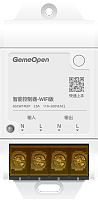
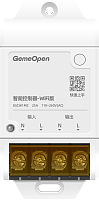
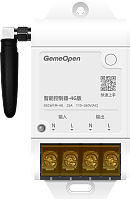
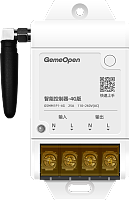


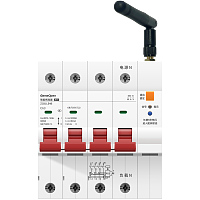

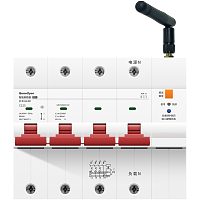
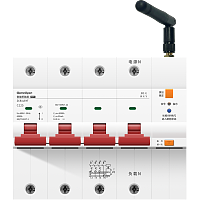
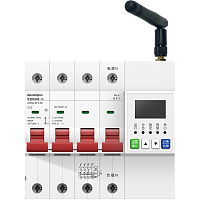
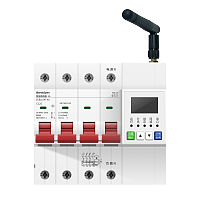




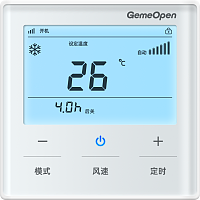
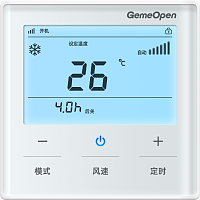
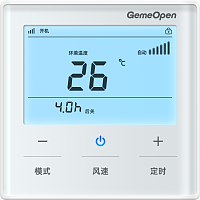
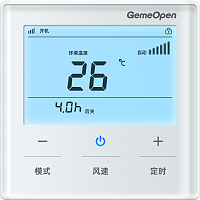
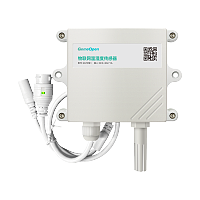

GemeOpen 智能红外控制器 S2 (型号:GSCU2B) - 开发者指令


# 智能红外控制器 S2 (型号:GSCU2B) - 开发者指令
## 产品基本描述
内置红外接收管、9-24V供电、外接红外发射器、外接温度传感器、红蓝双色灯
## 产品主要特点
一款小巧的方便隐藏安装的红外遥控器
外接红外探头+温度传感器
一体化联动空调控制、温度采集
外接红外探头+温度传感器
一体化联动空调控制、温度采集
## 产品图
<https://smart-bird-oss.smart-bird.cn/images/2026/10/09/1056373026822448.png>
<https://smart-bird-oss.smart-bird.cn/images/2026/10/10/184634880659780.png>
<https://smart-bird-oss.smart-bird.cn/images/2026/10/09/1056449144227964.png>
<https://smart-bird-oss.smart-bird.cn/images/2026/10/09/1056505849316750.png>
<https://smart-bird-oss.smart-bird.cn/images/2026/10/09/105653269743518.png>
<https://smart-bird-oss.smart-bird.cn/images/2026/10/09/1057009893697791.png>
<https://smart-bird-oss.smart-bird.cn/images/2026/10/09/1057072183062399.png>
## 官网产品资料
### 品牌信息说明
品牌LOGO <https://smart-bird-oss.smart-bird.cn/images/2026/02/18/1722133698642421.png>
智鸟科技GemeOpen专注为软件开发者提供商用智能设备,软件工程师通过简单的测试即可完成项目设备选型,使用标准的MQTT/TCP协议,发送JSON指令控制设备通断电、查询设备用电信息。能够极大节省项目实施时间与自研设备风险,与厂商云解耦,搭建私有化MQTT服务,完全掌控设备且无任何捆绑与隐性成本!
### 如何购买产品
全网搜索 智鸟科技、GemeOpen 可查询官网信息,或者 京东搜索 **GEMEOPEN官方旗舰店** 、淘宝搜索 **GemeOpen** 、 **智鸟科技**
### 产品详细信息
<null>
### 淘宝购买网址
<https://item.taobao.com/item.htm?id=1073011645359>
### 京东购买网址
<https://item.jd.com/10236533418985.html>
### 开发者文档
<https://www.smart-bird.cn/doc/product/GSCU/device/GSCU2B/command>
## 客户常见问题
### 设备可以连接到自己的阿里云服务器吗,数据不需要通过您那边中转吧?
是的,配置MQTT参数,即可连接到指定的服务器,数据完全不经过厂商
### 二次开发对接要额外收费吗?
不收费。接入自己的平台没有额外费用。
### 自定义 MQTT 配置好了为什么不生效?
自定义 MQTT 必须重启设备后才生效(拔插电源,或在配置首页点「重新启动」)。只在配置页点保存不会生效。
### 设备是否支持连接TSL加密服务器?是否支持mqtts?
该功能正在研发中,即将更新。可在自定义 MQTT 中配置 mqtts / TLS 加密连接,端口与证书参数按开发文档设置,配置后重启设备生效。
### 为什么控制台上一直显示设备离线/未激活?
请先确认:
1、设备是否已经配置了单频的2.4G WiFi,或者4G物联网卡是否正常;
2、是否进行过自定义MQTT操作,自定义MQTT的设备会和控制台MQTT断开连接,此时控制台显示设备离线或未激活是正常的
### 支持二次开发写入我们自己内部的运维平台吗?
支持。设备开放 MQTT / TCP协议与指令文档,可直接连接用户自有服务器平台,接入不收取额外费用。
### 能接入哪些系统或平台?支持接入米家/华为生态/涂鸦吗?
1、【支持】自建服务器 / 自建平台:你自己的 MQTT Broker(Mosquitto、EMQX、HiveMQ 等)+ 自研业务系统;
2、【支持】第三方物联网云平台:阿里云 IoT、华为云 IoT、腾讯云 IoT等;
3、【支持】开源 / 第三方平台:ThingsBoard、Home Assistant、
4、【不支持】暂不支持接入米家、华为 HiLink、涂鸦等第三方公有生态;
总结:设备面向开发者免费开放MQTT/TCP协议,适合接入自建平台做深度集成。
### 可不可以连接我们的内网服务器?
可以。
1、WiFi设备:连接您的内网WiFi后,自定义 MQTT 直连您的内网服务器;
2、4G设备:可安装使用您自己专网卡,自定义MQTT后直连您的内网服务器。
配置完成后重启设备生效,数据不经过厂商。
### 能不能按我提供的MQTT信息批量写入到设备里?
支持。可联系工作人员获取批量配置表格。在表单内填写您的服务器参数信息后,由技术人员上传表格至智鸟ERP系统生效。
后续我们还将提供客户运维管理系统(vip.smart-bird.cn),企业客户可通过该平台自己批量维护。
### 是否需要连接网关?
不需要。设备WiFi/4G正常通信后,通过协议直连您的服务器平台,无需网关。
### 支持API调用吗?
可通过HTTP调用GemeOpen控制台接口。控制台仅供用户测试使用,不能保证稳定性,常会因为其他用户极限测试,影响平台设备正常使用。
如果您是做商用项目,建议通过MQTT/TCP接入您自己搭建的服务器平台,更稳定,更便于后续二次开发。
### 我们是做商用项目的,GemeOpen可不可以提供中性产品?
开关、插座类强制认证过的产品,不支持提供中性产品。所有信息均在认证机构做过照片备案,无法修改。
其他非强制认证类产品,外壳支持自定义打标,可修改为用户自有品牌型号信息。
### 自定义mqtt后,客户端发布消息,为什么收不到订阅回复?
常见原因:
①订阅/发布的主题与开发文档定义不一致,可尝试将订阅主题发布主题交换位置填写;
②修改自定义 MQTT 后未重启设备;
③服务器参数填写错误,服务器端 ACL 未放行。
## 产品电气参数
---
| 参数名 | 参数值 |
|------|------|
| 品牌 | GemeOpen |
| 上市日期 | 2026年 |
| 产品类型 | 智能红外控制器-WiFi版 |
| 产品型号 | GSCU2B |
| 外观尺寸 | 41mm*41mm*20mm |
| 输入电压 | 9-24V |
| 工作电流 | 1A |
| 遥控信号 | 38KHz 红外 |
| 待机功率 | <1W |
| 通信方式 | 2.4GHz WIFI |
| 通讯模块 | 乐鑫ESP32 |
| 电源插口 | DC 9-24V 电源适配器(尾端去皮裸线) |
| 载波频率 | 38KHz 红外 |
| 遥控距离 | 红外探头需紧贴红外接收端<10cm |
| 红外学习 | 支持学习128种红外码 |
| 控制协议 | MQTT、TCP、HTTP、MCP、蓝牙 |
---
## 红外控制
### 发射学习过的红外码
*controller-infrared-emit*
发射学习的红外码,即实现远程遥控,需要注意受控设备的距离与角度
**向设备发送指令(服务端向设备订阅topic发送消息)**
```json
{
"action" : "emit",
"data" :
{
"no" : 110
},
"messageId" : "20260520",
"type" : "infrared"
}
"action" : "emit",
"data" :
{
"no" : 110
},
"messageId" : "20260520",
"type" : "infrared"
}
```
#### 字段属性
---
| 字段名称 | 字段类型 | 字段说明 | 示例值 |
|------|------|------|------|
| action | String | 学习红外码指令默认填"emit" | emit |
| data | Object | 数据 | |
| messageId | String | 业务流水号。由请求方生成的唯一标识,响应方原样回显,用于请求与响应的关联匹配。 | 20260520 |
| no | int | 红外码编号,编号范围0~127 | 110 |
| type | String | 固定值"infrared" | infrared |
---
**设备返回信息(设备向服务端订阅topic上报消息)**
```json
{
"commandName" : "controller-infrared-emit",
"mac" : "2026bb16aa14",
"message" : "ok",
"messageId" : "20260520",
"no" : 110,
"source" : "command",
"success" : true
}
"commandName" : "controller-infrared-emit",
"mac" : "2026bb16aa14",
"message" : "ok",
"messageId" : "20260520",
"no" : 110,
"source" : "command",
"success" : true
}
```
#### 字段属性
---
| 字段名称 | 字段类型 | 字段说明 | 示例值 |
|------|------|------|------|
| commandName | String | 指令名称 | controller-infrared-emit |
| mac | String | wifi设备MAC地址或4G设备的IMEI号,唯一标识 | 2026bb16aa14 |
| message | String | 执行返回结果,若红外码不存在,则信息为“Infrared data does not exist” | ok |
| messageId | String | 业务流水号。由请求方生成的唯一标识,响应方原样回显,用于请求与响应的关联匹配。 | 20260520 |
| no | int | 红外码编号,编号范围0~127 | 110 |
| source | String | 指令回复“command" | command |
| success | boolean | 执行结果 | true |
---
### 擦除红外码
*controller-infrared-erase*
删除所有已学习的红外
**向设备发送指令(服务端向设备订阅topic发送消息)**
```json
{
"action" : "erase",
"messageId" : "20260520",
"type" : "infrared"
}
"action" : "erase",
"messageId" : "20260520",
"type" : "infrared"
}
```
#### 字段属性
---
| 字段名称 | 字段类型 | 字段说明 | 示例值 |
|------|------|------|------|
| action | String | 擦除红外码指令默认填"erase" | erase |
| messageId | String | 业务流水号。由请求方生成的唯一标识,响应方原样回显,用于请求与响应的关联匹配。 | 20260520 |
| type | String | 固定值"infrared" | infrared |
---
**设备返回信息(设备向服务端订阅topic上报消息)**
```json
{
"commandName" : "controller-infrared-erase",
"mac" : "2026bb16aa14",
"message" : "ok",
"messageId" : "20260520",
"source" : "command",
"success" : true
}
"commandName" : "controller-infrared-erase",
"mac" : "2026bb16aa14",
"message" : "ok",
"messageId" : "20260520",
"source" : "command",
"success" : true
}
```
#### 字段属性
---
| 字段名称 | 字段类型 | 字段说明 | 示例值 |
|------|------|------|------|
| commandName | String | 指令名称 | controller-infrared-erase |
| mac | String | wifi设备MAC地址或4G设备的IMEI号,唯一标识 | 2026bb16aa14 |
| message | String | 执行返回结果 | ok |
| messageId | String | 业务流水号。由请求方生成的唯一标识,响应方原样回显,用于请求与响应的关联匹配。 | 20260520 |
| source | String | 指令回复“command" | command |
| success | boolean | 执行结果 | true |
---
### 学习红外码
*controller-infrared-learn*
发送学习红外码指令,设备进入学习状态,将遥控器对准设备点击需要学习的按钮,开始学习,学习完成后设备触发“滴”声音反馈
**向设备发送指令(服务端向设备订阅topic发送消息)**
```json
{
"action" : "learn",
"data" :
{
"no" : 110
},
"messageId" : "20260520",
"type" : "infrared"
}
"action" : "learn",
"data" :
{
"no" : 110
},
"messageId" : "20260520",
"type" : "infrared"
}
```
#### 字段属性
---
| 字段名称 | 字段类型 | 字段说明 | 示例值 |
|------|------|------|------|
| action | String | 学习红外码指令默认填"learn" | learn |
| data | Object | 数据 | |
| messageId | String | 业务流水号。由请求方生成的唯一标识,响应方原样回显,用于请求与响应的关联匹配。 | 20260520 |
| no | int | 红外码编号,编号范围0~127 | 110 |
| type | String | 固定值"infrared" | infrared |
---
**设备返回信息(设备向服务端订阅topic上报消息)**
```json
{
"commandName" : "controller-infrared-learn",
"mac" : "2026bb16aa14",
"message" : "ok",
"messageId" : "20260520",
"no" : 110,
"source" : "command",
"success" : true
}
"commandName" : "controller-infrared-learn",
"mac" : "2026bb16aa14",
"message" : "ok",
"messageId" : "20260520",
"no" : 110,
"source" : "command",
"success" : true
}
```
#### 字段属性
---
| 字段名称 | 字段类型 | 字段说明 | 示例值 |
|------|------|------|------|
| commandName | String | 指令名称 | controller-infrared-learn |
| mac | String | wifi设备MAC地址或4G设备的IMEI号,唯一标识 | 2026bb16aa14 |
| message | String | 执行返回结果,若超时失败(未学习到,20s超时)则信息为“time out of learning” | ok |
| messageId | String | 业务流水号。由请求方生成的唯一标识,响应方原样回显,用于请求与响应的关联匹配。 | 20260520 |
| no | int | 红外码编号,编号范围0~127 | 110 |
| source | String | 指令回复“command" | command |
| success | boolean | 执行结果 | true |
---
### 取消学习指令
*controller-infrared-learn-cancel*
一般当完成学习指令后,给设备发送取消学习指令,即进入工作状态
**向设备发送指令(服务端向设备订阅topic发送消息)**
```json
{
"action" : "learnCancel",
"messageId" : "20260520",
"type" : "infrared"
}
"action" : "learnCancel",
"messageId" : "20260520",
"type" : "infrared"
}
```
#### 字段属性
---
| 字段名称 | 字段类型 | 字段说明 | 示例值 |
|------|------|------|------|
| action | String | 取消学习红外码指令默认填"learnCancel" | learnCancel |
| messageId | String | 业务流水号。由请求方生成的唯一标识,响应方原样回显,用于请求与响应的关联匹配。 | 20260520 |
| type | String | 固定值"infrared" | infrared |
---
**设备返回信息(设备向服务端订阅topic上报消息)**
```json
{
"commandName" : "controller-infrared-learn-cancel",
"mac" : "2026bb16aa14",
"message" : "ok",
"messageId" : "20260520",
"source" : "command",
"success" : true
}
"commandName" : "controller-infrared-learn-cancel",
"mac" : "2026bb16aa14",
"message" : "ok",
"messageId" : "20260520",
"source" : "command",
"success" : true
}
```
#### 字段属性
---
| 字段名称 | 字段类型 | 字段说明 | 示例值 |
|------|------|------|------|
| commandName | String | 指令名称 | controller-infrared-learn-cancel |
| mac | String | wifi设备MAC地址或4G设备的IMEI号,唯一标识 | 2026bb16aa14 |
| message | String | 执行返回结果 | ok |
| messageId | String | 业务流水号。由请求方生成的唯一标识,响应方原样回显,用于请求与响应的关联匹配。 | 20260520 |
| source | String | 指令回复“command" | command |
| success | boolean | 执行结果 | true |
---
### 读取红外码
*controller-infrared-read*
读取红外码信息id_data,可复制写入到其它设备
**向设备发送指令(服务端向设备订阅topic发送消息)**
```json
{
"action" : "ir_read",
"data" :
{
"no" : 110
},
"messageId" : "20260520",
"type" : "infrared"
}
"action" : "ir_read",
"data" :
{
"no" : 110
},
"messageId" : "20260520",
"type" : "infrared"
}
```
#### 字段属性
---
| 字段名称 | 字段类型 | 字段说明 | 示例值 |
|------|------|------|------|
| action | String | 学习红外码指令默认填"ir_read" | ir_read |
| data | Object | 数据 | {"no":110} |
| messageId | String | 业务流水号。由请求方生成的唯一标识,响应方原样回显,用于请求与响应的关联匹配。
| 20260520 |
| no | int | 红外码编号,编号范围1~248 | 110 |
| type | String | 固定值"xxx" | infrared |
---
**设备返回信息(设备向服务端订阅topic上报消息)**
```json
{
"commandName" : "controller-infrared-read",
"ir_data" : "e80200004e1a138d530340834e03cd89520341834e0341834f0340834e0342834e0342834d0342834d0342834e0342834d0341834e0341834d0342834f03cd895103418340834e03cd89520341834e0341834f0340834e0342834e0342834d0342834d0342834e0342834d0341834e0341834d0342834f03cd895103418340834e03cd89520341834e0341834f0340834e0342834e0342834d0342834d0342834e0342834d0341834e0341834d0342834f03cd8951034183",
"mac" : "2026bb16aa14",
"message" : "ok",
"messageId" : "20260520",
"no" : 110,
"source" : "command",
"success" : true
}
"commandName" : "controller-infrared-read",
"ir_data" : "e80200004e1a138d530340834e03cd89520341834e0341834f0340834e0342834e0342834d0342834d0342834e0342834d0341834e0341834d0342834f03cd895103418340834e03cd89520341834e0341834f0340834e0342834e0342834d0342834d0342834e0342834d0341834e0341834d0342834f03cd895103418340834e03cd89520341834e0341834f0340834e0342834e0342834d0342834d0342834e0342834d0341834e0341834d0342834f03cd8951034183",
"mac" : "2026bb16aa14",
"message" : "ok",
"messageId" : "20260520",
"no" : 110,
"source" : "command",
"success" : true
}
```
#### 字段属性
---
| 字段名称 | 字段类型 | 字段说明 | 示例值 |
|------|------|------|------|
| commandName | String | 指令名称 | controller-infrared-read |
| ir_data | String | 红外码数据 | e80200004e1a138d530340834e03cd89520341834e0341834f0340834e0342834e0342834d0342834d0342834e0342834d0341834e0341834d0342834f03cd895103418340834e03cd89520341834e0341834f0340834e0342834e0342834d0342834d0342834e0342834d0341834e0341834d0342834f03cd895103418340834e03cd89520341834e0341834f0340834e0342834e0342834d0342834d0342834e0342834d0341834e0341834d0342834f03cd8951034183 |
| mac | String | wifi设备MAC地址或4G设备的IMEI号,唯一标识 | 2026bb16aa14 |
| message | String | 执行结果描述:对命令执行结果的文本说明。执行完成且无异常:ok ;如果出现异常,返回异常结果描述。 | ok |
| messageId | String | 业务流水号。由请求方生成的唯一标识,响应方原样回显,用于请求与响应的关联匹配。
| 20260520 |
| no | int | 红外码编号,编号范围1~248 | 110 |
| source | String | 指令回复“command" | command |
| success | boolean | 执行结果,执行成功:true;执行失败:false | true |
---
### 写入红外码
*controller-infrared-write*
向指定编号写入红外码
**向设备发送指令(服务端向设备订阅topic发送消息)**
```json
{
"action" : "ir_write",
"ir_data" : "e80200004e1a138d530340834e03cd89520341834e0341834f0340834e0342834e0342834d0342834d0342834e0342834d0341834e0341834d0342834f03cd895103418340834e03cd89520341834e0341834f0340834e0342834e0342834d0342834d0342834e0342834d0341834e0341834d0342834f03cd895103418340834e03cd89520341834e0341834f0340834e0342834e0342834d0342834d0342834e0342834d0341834e0341834d0342834f03cd8951034183",
"messageId" : "20260520",
"no" : 110,
"type" : "infrared"
}
"action" : "ir_write",
"ir_data" : "e80200004e1a138d530340834e03cd89520341834e0341834f0340834e0342834e0342834d0342834d0342834e0342834d0341834e0341834d0342834f03cd895103418340834e03cd89520341834e0341834f0340834e0342834e0342834d0342834d0342834e0342834d0341834e0341834d0342834f03cd895103418340834e03cd89520341834e0341834f0340834e0342834e0342834d0342834d0342834e0342834d0341834e0341834d0342834f03cd8951034183",
"messageId" : "20260520",
"no" : 110,
"type" : "infrared"
}
```
#### 字段属性
---
| 字段名称 | 字段类型 | 字段说明 | 示例值 |
|------|------|------|------|
| action | String | 学习红外码指令默认填"learn" | ir_write |
| ir_data | String | 红外码数据 | e80200004e1a138d530340834e03cd89520341834e0341834f0340834e0342834e0342834d0342834d0342834e0342834d0341834e0341834d0342834f03cd895103418340834e03cd89520341834e0341834f0340834e0342834e0342834d0342834d0342834e0342834d0341834e0341834d0342834f03cd895103418340834e03cd89520341834e0341834f0340834e0342834e0342834d0342834d0342834e0342834d0341834e0341834d0342834f03cd8951034183 |
| messageId | String | 业务流水号。由请求方生成的唯一标识,响应方原样回显,用于请求与响应的关联匹配。 | 20260520 |
| no | int | 红外码编号,编号范围1~248 | 110 |
| type | String | 固定值"xxx" | infrared |
---
**设备返回信息(设备向服务端订阅topic上报消息)**
```json
{
"commandName" : "controller-infrared-write",
"mac" : "2026bb16aa14",
"message" : "ok",
"messageId" : "20260520",
"no" : 110,
"source" : "command",
"success" : true
}
"commandName" : "controller-infrared-write",
"mac" : "2026bb16aa14",
"message" : "ok",
"messageId" : "20260520",
"no" : 110,
"source" : "command",
"success" : true
}
```
#### 字段属性
---
| 字段名称 | 字段类型 | 字段说明 | 示例值 |
|------|------|------|------|
| commandName | String | 指令名称 | controller-infrared-write |
| mac | String | wifi设备mac地址,唯一标识 | 2026bb16aa14 |
| message | String | 执行结果描述:对命令执行结果的文本说明。执行完成且无异常:ok ;如果出现异常,返回异常结果描述。 | ok |
| messageId | String | 业务流水号。由请求方生成的唯一标识,响应方原样回显,用于请求与响应的关联匹配。 | 20260520 |
| no | int | 红外码编号,编号范围1~248 | 110 |
| source | String | 指令回复“command" | command |
| success | boolean | 执行结果,执行成功:true;执行失败:false | true |
---
## 设备维护
### 重置/恢复出厂设置
*controller-reset*
恢复出厂设置后配网信息和自定义信息都会清空,请谨慎操作!
**向设备发送指令(服务端向设备订阅topic发送消息)**
```json
{
"messageId" : "20260520",
"system" : "reset",
"type" : "setting"
}
"messageId" : "20260520",
"system" : "reset",
"type" : "setting"
}
```
#### 字段属性
---
| 字段名称 | 字段类型 | 字段说明 | 示例值 |
|------|------|------|------|
| messageId | String | 业务流水号。由请求方生成的唯一标识,响应方原样回显,用于请求与响应的关联匹配。 | 20260520 |
| system | String | 重置/恢复出厂设置默认填"reset" | reset |
| type | String | 设备设置固定值"setting" | setting |
---
**设备返回信息(设备向服务端订阅topic上报消息)**
```json
{
"commandName" : "controller-reset",
"mac" : "2026bb16aa14",
"message" : "ok",
"messageId" : "20260520",
"source" : "command",
"success" : true
}
"commandName" : "controller-reset",
"mac" : "2026bb16aa14",
"message" : "ok",
"messageId" : "20260520",
"source" : "command",
"success" : true
}
```
#### 字段属性
---
| 字段名称 | 字段类型 | 字段说明 | 示例值 |
|------|------|------|------|
| commandName | String | 指令名称 | controller-reset |
| mac | String | wifi设备MAC地址或4G设备的IMEI号,唯一标识 | 2026bb16aa14 |
| message | String | 执行返回结果 | ok |
| messageId | String | 业务流水号。由请求方生成的唯一标识,响应方原样回显,用于请求与响应的关联匹配。 | 20260520 |
| source | String | 指令回复“command" | command |
| success | boolean | 执行结果 | true |
---
### 设备软重启
*controller-restart*
软重启后,通过指令设置的参数将生效,同时设备将重新连接Wifi/4G网络,注意设备IP地址可能发生变化
**向设备发送指令(服务端向设备订阅topic发送消息)**
```json
{
"messageId" : "20260520",
"system" : "restart",
"type" : "setting"
}
"messageId" : "20260520",
"system" : "restart",
"type" : "setting"
}
```
#### 字段属性
---
| 字段名称 | 字段类型 | 字段说明 | 示例值 |
|------|------|------|------|
| messageId | String | 业务流水号。由请求方生成的唯一标识,响应方原样回显,用于请求与响应的关联匹配。 | 20260520 |
| system | String | 设备软重启默认填"restart" | restart |
| type | String | 设备设置固定值"setting" | setting |
---
**设备返回信息(设备向服务端订阅topic上报消息)**
```json
{
"commandName" : "controller-restart",
"mac" : "2026bb16aa14",
"message" : "ok",
"messageId" : "20260520",
"source" : "command",
"success" : true
}
"commandName" : "controller-restart",
"mac" : "2026bb16aa14",
"message" : "ok",
"messageId" : "20260520",
"source" : "command",
"success" : true
}
```
#### 字段属性
---
| 字段名称 | 字段类型 | 字段说明 | 示例值 |
|------|------|------|------|
| commandName | String | 指令名称 | controller-restart |
| mac | String | wifi设备MAC地址或4G设备的IMEI号,唯一标识 | 2026bb16aa14 |
| message | String | 执行返回结果 | ok |
| messageId | String | 业务流水号。由请求方生成的唯一标识,响应方原样回显,用于请求与响应的关联匹配。 | 20260520 |
| source | String | 指令回复“command" | command |
| success | boolean | 执行结果 | true |
---
### 设置定时上报任务
*device-timer-interval*
设置温度数据定时上报的频率。
**向设备发送指令(服务端向设备订阅topic发送消息)**
```json
{
"messageId" : "20260520",
"timerEnable" : 1,
"timerInterval" : 15,
"type" : "setting"
}
"messageId" : "20260520",
"timerEnable" : 1,
"timerInterval" : 15,
"type" : "setting"
}
```
#### 字段属性
---
| 字段名称 | 字段类型 | 字段说明 | 示例值 |
|------|------|------|------|
| messageId | String | 业务流水号。由请求方生成的唯一标识,响应方原样回显,用于请求与响应的关联匹配。 | 20260520 |
| timerEnable | int | 设备统计信息定时上报状态,0:关闭;1:开启 | 1 |
| timerInterval | int | 设备统计信息上报时间间隔(单位秒),取值范围5-86400 | 15 |
| type | String | 设备设置固定值"setting" | setting |
---
**设备返回信息(设备向服务端订阅topic上报消息)**
```json
{
"commandName" : "device-timer-interval",
"mac" : "2026bb16aa14",
"message" : "ok",
"messageId" : "20260520",
"source" : "command",
"success" : true,
"timerEnable" : 1,
"timerInterval" : 15
}
"commandName" : "device-timer-interval",
"mac" : "2026bb16aa14",
"message" : "ok",
"messageId" : "20260520",
"source" : "command",
"success" : true,
"timerEnable" : 1,
"timerInterval" : 15
}
```
#### 字段属性
---
| 字段名称 | 字段类型 | 字段说明 | 示例值 |
|------|------|------|------|
| commandName | String | 指令名称 | device-timer-interval |
| mac | String | wifi设备MAC地址或4G设备的IMEI号,唯一标识 | 2026bb16aa14 |
| message | String | 执行返回结果 | ok |
| messageId | String | 业务流水号。由请求方生成的唯一标识,响应方原样回显,用于请求与响应的关联匹配。 | 20260520 |
| source | String | 指令回复“command" | command |
| success | boolean | 执行结果 | true |
| timerEnable | int | 设备统计信息定时上报状态,0:关闭;1:开启 | 1 |
| timerInterval | int | 设备统计信息上报时间间隔(单位秒),取值范围5-86400 | 15 |
---
### 获取设备信息
*info-all*
获取设备信息一般会包含:设备通断电状态、MAC/IMEI、固件版本、设备内网IP地址、设备WIFI网络名称等信息,不同的产品返回的信息有所差异
**向设备发送指令(服务端向设备订阅topic发送消息)**
```json
{
"messageId" : "20260520",
"type" : "info"
}
"messageId" : "20260520",
"type" : "info"
}
```
#### 字段属性
---
| 字段名称 | 字段类型 | 字段说明 | 示例值 |
|------|------|------|------|
| messageId | String | 业务流水号。由请求方生成的唯一标识,响应方原样回显,用于请求与响应的关联匹配。 | 20260520 |
| type | String | 固定值"info" | info |
---
**设备返回信息(设备向服务端订阅topic上报消息)**
```json
{
"bssid" : "742ad779046",
"code" : "GSCU2B",
"commandName" : "info-all",
"ip" : "192.168.122.119",
"mac" : "2026bb16aa14",
"messageId" : "20260520",
"signal" : -75,
"source" : "command",
"ssid" : "gemeopen",
"tempOffset" : 0,
"timerEnable" : 1,
"timerInterval" : 15,
"version" : "1.0.0",
"wifiLock" : 0
}
"bssid" : "742ad779046",
"code" : "GSCU2B",
"commandName" : "info-all",
"ip" : "192.168.122.119",
"mac" : "2026bb16aa14",
"messageId" : "20260520",
"signal" : -75,
"source" : "command",
"ssid" : "gemeopen",
"tempOffset" : 0,
"timerEnable" : 1,
"timerInterval" : 15,
"version" : "1.0.0",
"wifiLock" : 0
}
```
#### 字段属性
---
| 字段名称 | 字段类型 | 字段说明 | 示例值 |
|------|------|------|------|
| bssid | String | 路由器 MAC 地址 | 742ad779046 |
| code | String | 设备型号代码 | GSCU2B |
| commandName | String | 指令名称 | info-all |
| ip | String | 设备连接WIFI后获取的IP | 192.168.122.119 |
| mac | String | wifi设备MAC地址或4G设备的IMEI号,唯一标识 | 2026bb16aa14 |
| messageId | String | 业务流水号。由请求方生成的唯一标识,响应方原样回显,用于请求与响应的关联匹配。 | 20260520 |
| signal | int | 信号强度,显示规则为: signal<= 0 && signal>= -50
//信号最好 signal< -50 && signal>= -70
//信号较好 signal< -70 && signal>= -80
//信号一般 signal<-80 && signal>= -100
//信号较差 signal没有在0~(-100)之间,表示无信号 | -75 |
| source | String | 指令回复“command" | command |
| ssid | String | 设备当前连接的WIFI名称 | gemeopen |
| tempOffset | float | 温度补偿偏移值,单位:℃,取值范围:+20~-20;
计算公式:校准后数据=实际读取的数据+tempOffset | 0 |
| timerEnable | int | 设备统计信息定时上报状态,0:关闭;1:开启 | 1 |
| timerInterval | int | 设备统计信息上报时间间隔(单位秒),取值范围5-86400 | 15 |
| version | String | 当前固件版本号 | 1.0.0 |
| wifiLock | int | 配网锁,0:关闭,1:开启 | 0 |
---
### 获取设备通讯信息
*info-protocol*
获取设备网络连接、MQTT设置、TCP设置等基础信息
**向设备发送指令(服务端向设备订阅topic发送消息)**
```json
{
"messageId" : "20260520",
"type" : "protocol"
}
"messageId" : "20260520",
"type" : "protocol"
}
```
#### 字段属性
---
| 字段名称 | 字段类型 | 字段说明 | 示例值 |
|------|------|------|------|
| messageId | String | 业务流水号。由请求方生成的唯一标识,响应方原样回显,用于请求与响应的关联匹配。 | 20260520 |
| type | String | 固定值"protocol" | protocol |
---
**设备返回信息(设备向服务端订阅topic上报消息)**
```json
{
"clientId" : "admin",
"commandName" : "info-protocol",
"mac" : "2026bb16aa14",
"messageId" : "20260520",
"port" : "1883",
"protocol" : "mqtt",
"publish" : "/topic/qos0",
"server" : "192.168.0.66",
"source" : "command",
"subcribe" : "/topic/qos1",
"username" : "username"
}
"clientId" : "admin",
"commandName" : "info-protocol",
"mac" : "2026bb16aa14",
"messageId" : "20260520",
"port" : "1883",
"protocol" : "mqtt",
"publish" : "/topic/qos0",
"server" : "192.168.0.66",
"source" : "command",
"subcribe" : "/topic/qos1",
"username" : "username"
}
```
#### 字段属性
---
| 字段名称 | 字段类型 | 字段说明 | 示例值 |
|------|------|------|------|
| clientId | String | 自定义MQTT客户端ID注意:不可重复 | admin |
| commandName | String | 指令名称 | info-protocol |
| mac | String | wifi设备MAC地址或4G设备的IMEI号,唯一标识 | 2026bb16aa14 |
| messageId | String | 业务流水号。由请求方生成的唯一标识,响应方原样回显,用于请求与响应的关联匹配。 | 20260520 |
| port | String | 端口号 | 1883 |
| protocol | String | 协议类型 | mqtt |
| publish | String | 自定义发布主题 注意:不可重复 | /topic/qos0 |
| server | String | 自定义服务器地址 | 192.168.0.66 |
| source | String | 指令回复“command" | command |
| subcribe | String | 自定义订阅主题,注意:不可重复 | /topic/qos1 |
| username | String | 自定义服务器用户名 | username |
---
### 获取设备统计信息
*info-statistic*
获取设备采集的温度信息
**向设备发送指令(服务端向设备订阅topic发送消息)**
```json
{
"messageId" : "20260520",
"type" : "statistic"
}
"messageId" : "20260520",
"type" : "statistic"
}
```
#### 字段属性
---
| 字段名称 | 字段类型 | 字段说明 | 示例值 |
|------|------|------|------|
| messageId | String | 业务流水号。由请求方生成的唯一标识,响应方原样回显,用于请求与响应的关联匹配。 | 20260520 |
| type | String | 固定值"statistic" | statistic |
---
**设备返回信息(设备向服务端订阅topic上报消息)**
```json
{
"commandName" : "info-statistic",
"mac" : "2026bb16aa14",
"message" : "ok",
"messageId" : "20260520",
"source" : "command",
"success" : true,
"temperature" : 28
}
"commandName" : "info-statistic",
"mac" : "2026bb16aa14",
"message" : "ok",
"messageId" : "20260520",
"source" : "command",
"success" : true,
"temperature" : 28
}
```
#### 字段属性
---
| 字段名称 | 字段类型 | 字段说明 | 示例值 |
|------|------|------|------|
| commandName | String | 指令名称 | info-statistic |
| mac | String | wifi设备MAC地址或4G设备的IMEI号,唯一标识 | 2026bb16aa14 |
| message | String | 执行返回结果 | ok |
| messageId | String | 业务流水号。由请求方生成的唯一标识,响应方原样回显,用于请求与响应的关联匹配。 | 20260520 |
| source | String | 指令回复“command" | command |
| success | boolean | 执行结果 | true |
| temperature | float | 温度 (单位:摄氏度) | 28 |
---
### 自定义MQTT
*setting-mqtt*
设备支持自定义MQTT,注意:在通过MQTT自定义MQTT信息后,需要将设备断电重启或者向设备发送重启命令才可生效。
**向设备发送指令(服务端向设备订阅topic发送消息)**
```json
{
"clientId" : "admin",
"messageId" : "20260520",
"password" : "123456",
"port" : "1883",
"protocol" : "mqtt",
"publish" : "/topic/qos0",
"server" : "192.168.0.66",
"subscribe" : "/topic/qos1",
"type" : "setting",
"username" : "username"
}
"clientId" : "admin",
"messageId" : "20260520",
"password" : "123456",
"port" : "1883",
"protocol" : "mqtt",
"publish" : "/topic/qos0",
"server" : "192.168.0.66",
"subscribe" : "/topic/qos1",
"type" : "setting",
"username" : "username"
}
```
#### 字段属性
---
| 字段名称 | 字段类型 | 字段说明 | 示例值 |
|------|------|------|------|
| clientId | String | 自定义MQTT客户端ID注意:不可重复 | admin |
| messageId | String | 业务流水号。由请求方生成的唯一标识,响应方原样回显,用于请求与响应的关联匹配。 | 20260520 |
| password | String | 密码 | 123456 |
| port | String | 端口号 | 1883 |
| protocol | String | 协议类型 | mqtt |
| publish | String | 自定义发布主题 注意:不可重复 | /topic/qos0 |
| server | String | 自定义服务器地址 | 192.168.0.66 |
| subscribe | String | 自定义设备MQTT订阅主题 注意:不可与发布主题重复 | /topic/qos1 |
| type | String | 设备设置固定值"setting" | setting |
| username | String | 自定义服务器用户名 | username |
---
**设备返回信息(设备向服务端订阅topic上报消息)**
```json
{
"clientId" : "admin",
"commandName" : "setting-mqtt",
"mac" : "2026bb16aa14",
"messageId" : "20260520",
"port" : "1883",
"protocol" : "mqtt",
"publish" : "/topic/qos0",
"server" : "192.168.0.66",
"source" : "command",
"subscribe" : "/topic/qos1",
"username" : "username"
}
"clientId" : "admin",
"commandName" : "setting-mqtt",
"mac" : "2026bb16aa14",
"messageId" : "20260520",
"port" : "1883",
"protocol" : "mqtt",
"publish" : "/topic/qos0",
"server" : "192.168.0.66",
"source" : "command",
"subscribe" : "/topic/qos1",
"username" : "username"
}
```
#### 字段属性
---
| 字段名称 | 字段类型 | 字段说明 | 示例值 |
|------|------|------|------|
| clientId | String | 自定义MQTT客户端ID注意:不可重复 | admin |
| commandName | String | 指令名称 | setting-mqtt |
| mac | String | wifi设备MAC地址或4G设备的IMEI号,唯一标识 | 2026bb16aa14 |
| messageId | String | 业务流水号。由请求方生成的唯一标识,响应方原样回显,用于请求与响应的关联匹配。 | 20260520 |
| port | String | 端口号 | 1883 |
| protocol | String | 协议类型 | mqtt |
| publish | String | 自定义发布主题 注意:不可重复 | /topic/qos0 |
| server | String | 自定义服务器地址 | 192.168.0.66 |
| source | String | 指令回复“command" | command |
| subscribe | String | 自定义设备MQTT订阅主题 注意:不可与发布主题重复 | /topic/qos1 |
| username | String | 自定义服务器用户名 | username |
---
### 自定义TCP
*setting-tcp*
设备支持通过MQTT方式自定义TCP信息,注意:通过MQTT自定义TCP信息后,需要将设备断电重启或者向设备发送重启命令才可生效。
**向设备发送指令(服务端向设备订阅topic发送消息)**
```json
{
"messageId" : "20260520",
"port" : "1883",
"protocol" : "tcp",
"server" : "192.168.0.66",
"type" : "setting"
}
"messageId" : "20260520",
"port" : "1883",
"protocol" : "tcp",
"server" : "192.168.0.66",
"type" : "setting"
}
```
#### 字段属性
---
| 字段名称 | 字段类型 | 字段说明 | 示例值 |
|------|------|------|------|
| messageId | String | 业务流水号。由请求方生成的唯一标识,响应方原样回显,用于请求与响应的关联匹配。 | 20260520 |
| port | String | 端口号 | 1883 |
| protocol | String | 协议类型 | tcp |
| server | String | 自定义服务器地址 | 192.168.0.66 |
| type | String | 设备设置固定值"setting" | setting |
---
**设备返回信息(设备向服务端订阅topic上报消息)**
```json
{
"commandName" : "setting-tcp",
"mac" : "2026bb16aa14",
"messageId" : "20260520",
"port" : "8080",
"protocol" : "tcp",
"server" : "192.168.0.66",
"source" : "command"
}
"commandName" : "setting-tcp",
"mac" : "2026bb16aa14",
"messageId" : "20260520",
"port" : "8080",
"protocol" : "tcp",
"server" : "192.168.0.66",
"source" : "command"
}
```
#### 字段属性
---
| 字段名称 | 字段类型 | 字段说明 | 示例值 |
|------|------|------|------|
| commandName | String | 指令名称 | setting-tcp |
| mac | String | wifi设备MAC地址或4G设备的IMEI号,唯一标识 | 2026bb16aa14 |
| messageId | String | 业务流水号。由请求方生成的唯一标识,响应方原样回显,用于请求与响应的关联匹配。 | 20260520 |
| port | String | 端口号 | 8080 |
| protocol | String | 协议类型 | tcp |
| server | String | 自定义服务器地址 | 192.168.0.66 |
| source | String | 指令回复“command" | command |
---
### 温度补偿
*setting-temperature-compensate*
设置温度的补偿值,用于校准传感器采集数据的偏差。
**向设备发送指令(服务端向设备订阅topic发送消息)**
```json
{
"messageId" : "20260520",
"tempOffset" : 0,
"type" : "setting"
}
"messageId" : "20260520",
"tempOffset" : 0,
"type" : "setting"
}
```
#### 字段属性
---
| 字段名称 | 字段类型 | 字段说明 | 示例值 |
|------|------|------|------|
| messageId | String | 业务流水号。由请求方生成的唯一标识,响应方原样回显,用于请求与响应的关联匹配。 | 20260520 |
| tempOffset | float | 温度补偿偏移值,单位:℃,取值范围:+20~-20;
计算公式:校准后数据=实际读取的数据+tempOffset | 0 |
| type | String | 设备设置固定值"setting" | setting |
---
**设备返回信息(设备向服务端订阅topic上报消息)**
```json
{
"commandName" : "setting-temperature-compensate",
"mac" : "2026bb16aa14",
"message" : "ok",
"messageId" : "20260520",
"source" : "command",
"success" : true,
"tempOffset" : 0
}
"commandName" : "setting-temperature-compensate",
"mac" : "2026bb16aa14",
"message" : "ok",
"messageId" : "20260520",
"source" : "command",
"success" : true,
"tempOffset" : 0
}
```
#### 字段属性
---
| 字段名称 | 字段类型 | 字段说明 | 示例值 |
|------|------|------|------|
| commandName | String | 指令名称 | setting-temperature-compensate |
| mac | String | wifi设备MAC地址或4G设备的IMEI号,唯一标识 | 2026bb16aa14 |
| message | String | 执行返回结果 | ok |
| messageId | String | 业务流水号。由请求方生成的唯一标识,响应方原样回显,用于请求与响应的关联匹配。 | 20260520 |
| source | String | 指令回复“command" | command |
| success | boolean | 执行结果 | true |
| tempOffset | float | 温度补偿偏移值,单位:℃,取值范围:+20~-20;
计算公式:校准后数据=实际读取的数据+tempOffset | 0 |
---
### 设置设备WiFi信息
*setting-wifi-config*
重启才会连接新设置的wifi信息,可支持空密码wifi,无密码wifi时需不填写password字段或password字段为空,示例:"password":"",<br/>
**向设备发送指令(服务端向设备订阅topic发送消息)**
```json
{
"bssid" : "742ad779046",
"messageId" : "20260520",
"password" : "123456",
"ssid" : "gemeopen",
"type" : "setting"
}
"bssid" : "742ad779046",
"messageId" : "20260520",
"password" : "123456",
"ssid" : "gemeopen",
"type" : "setting"
}
```
#### 字段属性
---
| 字段名称 | 字段类型 | 字段说明 | 示例值 |
|------|------|------|------|
| bssid | String | 路由器 MAC 地址,可选参数,有需求则填写 | 742ad779046 |
| messageId | String | 业务流水号。由请求方生成的唯一标识,响应方原样回显,用于请求与响应的关联匹配。 | 20260520 |
| password | String | WIFI密码,无密码wifi时可不填写该字段 | 123456 |
| ssid | String | 设备当前连接的WIFI名称 | gemeopen |
| type | String | 设备设置固定值"setting" | setting |
---
**设备返回信息(设备向服务端订阅topic上报消息)**
```json
{
"bssid" : "742ad779046",
"commandName" : "setting-wifi-config",
"mac" : "2026bb16aa14",
"message" : "ok",
"messageId" : "20260520",
"source" : "command",
"success" : true
}
"bssid" : "742ad779046",
"commandName" : "setting-wifi-config",
"mac" : "2026bb16aa14",
"message" : "ok",
"messageId" : "20260520",
"source" : "command",
"success" : true
}
```
#### 字段属性
---
| 字段名称 | 字段类型 | 字段说明 | 示例值 |
|------|------|------|------|
| bssid | String | 路由器 MAC 地址 | 742ad779046 |
| commandName | String | 指令名称 | setting-wifi-config |
| mac | String | wifi设备MAC地址或4G设备的IMEI号,唯一标识 | 2026bb16aa14 |
| message | String | 执行返回结果 | ok |
| messageId | String | 业务流水号。由请求方生成的唯一标识,响应方原样回显,用于请求与响应的关联匹配。 | 20260520 |
| source | String | 指令回复“command" | command |
| success | boolean | 执行结果 | true |
---
### 设置WiFi静态IP
*setting-wifi-dhcpEnable*
设备默认为动态获取ip,通过该接口开启静态IP,需重启生效<br/>配置的静态IP需和路由器处于同一网段下<br/>
**向设备发送指令(服务端向设备订阅topic发送消息)**
```json
{
"dhcpEnable" : 1,
"dns" : "192.168.0.1",
"gateway" : "192.168.0.1",
"local_ip" : "192.168.0.118",
"messageId" : "20260520",
"subnet" : "255.255.255.0",
"type" : "setting"
}
"dhcpEnable" : 1,
"dns" : "192.168.0.1",
"gateway" : "192.168.0.1",
"local_ip" : "192.168.0.118",
"messageId" : "20260520",
"subnet" : "255.255.255.0",
"type" : "setting"
}
```
#### 字段属性
---
| 字段名称 | 字段类型 | 字段说明 | 示例值 |
|------|------|------|------|
| dhcpEnable | int | 自动寻址1:开启, 0:关闭,默认开启 | 1 |
| dns | String | DNS服务器地址 | 192.168.0.1 |
| gateway | String | 默认网关 | 192.168.0.1 |
| local_ip | String | IP地址 | 192.168.0.118 |
| messageId | String | 业务流水号。由请求方生成的唯一标识,响应方原样回显,用于请求与响应的关联匹配。 | 20260520 |
| subnet | String | 子网掩码 | 255.255.255.0 |
| type | String | 设备设置固定值"setting" | setting |
---
**设备返回信息(设备向服务端订阅topic上报消息)**
```json
{
"commandName" : "setting-wifi-dhcpEnable",
"mac" : "2026bb16aa14",
"message" : "ok",
"messageId" : "20260520",
"source" : "command",
"success" : true
}
"commandName" : "setting-wifi-dhcpEnable",
"mac" : "2026bb16aa14",
"message" : "ok",
"messageId" : "20260520",
"source" : "command",
"success" : true
}
```
#### 字段属性
---
| 字段名称 | 字段类型 | 字段说明 | 示例值 |
|------|------|------|------|
| commandName | String | 指令名称 | setting-wifi-dhcpEnable |
| mac | String | wifi设备MAC地址或4G设备的IMEI号,唯一标识 | 2026bb16aa14 |
| message | String | 执行返回结果 | ok |
| messageId | String | 业务流水号。由请求方生成的唯一标识,响应方原样回显,用于请求与响应的关联匹配。 | 20260520 |
| source | String | 指令回复“command" | command |
| success | boolean | 执行结果 | true |
---
### 设置WiFi配网锁
*setting-wifi-lock*
wifi配网锁定后,设备无法通过长按配网按钮进入配网操作,仅能通过MQTT/TCP协议解锁配网功能<br/>
**向设备发送指令(服务端向设备订阅topic发送消息)**
```json
{
"messageId" : "20260520",
"type" : "setting",
"wifiLock" : 0
}
"messageId" : "20260520",
"type" : "setting",
"wifiLock" : 0
}
```
#### 字段属性
---
| 字段名称 | 字段类型 | 字段说明 | 示例值 |
|------|------|------|------|
| messageId | String | 业务流水号。由请求方生成的唯一标识,响应方原样回显,用于请求与响应的关联匹配。
| 20260520 |
| type | String | 设备设置固定值"setting" | setting |
| wifiLock | int | 配网锁,0:关闭,1:开启 | 0 |
---
**设备返回信息(设备向服务端订阅topic上报消息)**
```json
{
"commandName" : "setting-wifi-lock",
"mac" : "2026bb16aa14",
"message" : "ok",
"messageId" : "20260520",
"source" : "command",
"success" : true,
"wifiLock" : 0
}
"commandName" : "setting-wifi-lock",
"mac" : "2026bb16aa14",
"message" : "ok",
"messageId" : "20260520",
"source" : "command",
"success" : true,
"wifiLock" : 0
}
```
#### 字段属性
---
| 字段名称 | 字段类型 | 字段说明 | 示例值 |
|------|------|------|------|
| commandName | String | 指令名称 | setting-wifi-lock |
| mac | String | wifi设备MAC地址或4G设备的IMEI号,唯一标识 | 2026bb16aa14 |
| message | String | 执行返回结果 | ok |
| messageId | String | 业务流水号。由请求方生成的唯一标识,响应方原样回显,用于请求与响应的关联匹配。 | 20260520 |
| source | String | 指令回复“command" | command |
| success | boolean | 执行结果 | true |
| wifiLock | int | 配网锁,0:关闭,1:开启 | 0 |
---
## 自动上报
### 自动上报任务(定时上报)
*device-timer-task*
主动上报信息,与设置定时上报任务(device-timer-interval)相关联。未接温度传感器时,上报内容为:{"commandName" : "device-timer-task","mac" : "2026bb16aa14","source" : "auto"}
**向设备发送指令(服务端向设备订阅topic发送消息)**
```json
```
#### 字段属性
---
| 字段名称 | 字段类型 | 字段说明 | 示例值 |
|------|------|------|------|
---
**设备返回信息(设备向服务端订阅topic上报消息)**
```json
{
"commandName" : "device-timer-task",
"mac" : "2026bb16aa14",
"source" : "auto",
"temperature" : 28
}
"commandName" : "device-timer-task",
"mac" : "2026bb16aa14",
"source" : "auto",
"temperature" : 28
}
```
#### 字段属性
---
| 字段名称 | 字段类型 | 字段说明 | 示例值 |
|------|------|------|------|
| commandName | String | 指令名称 | device-timer-task |
| mac | String | wifi设备MAC地址或4G设备的IMEI号,唯一标识 | 2026bb16aa14 |
| source | String | 指令回复“auto" | auto |
| temperature | float | 温度 (单位:摄氏度),未接温度传感器时则无该字段 | 28 |
---